
Zendesk Review 2026: Is This AI Service Platform Right for Your Team?
What Is Zendesk and Who Is It For
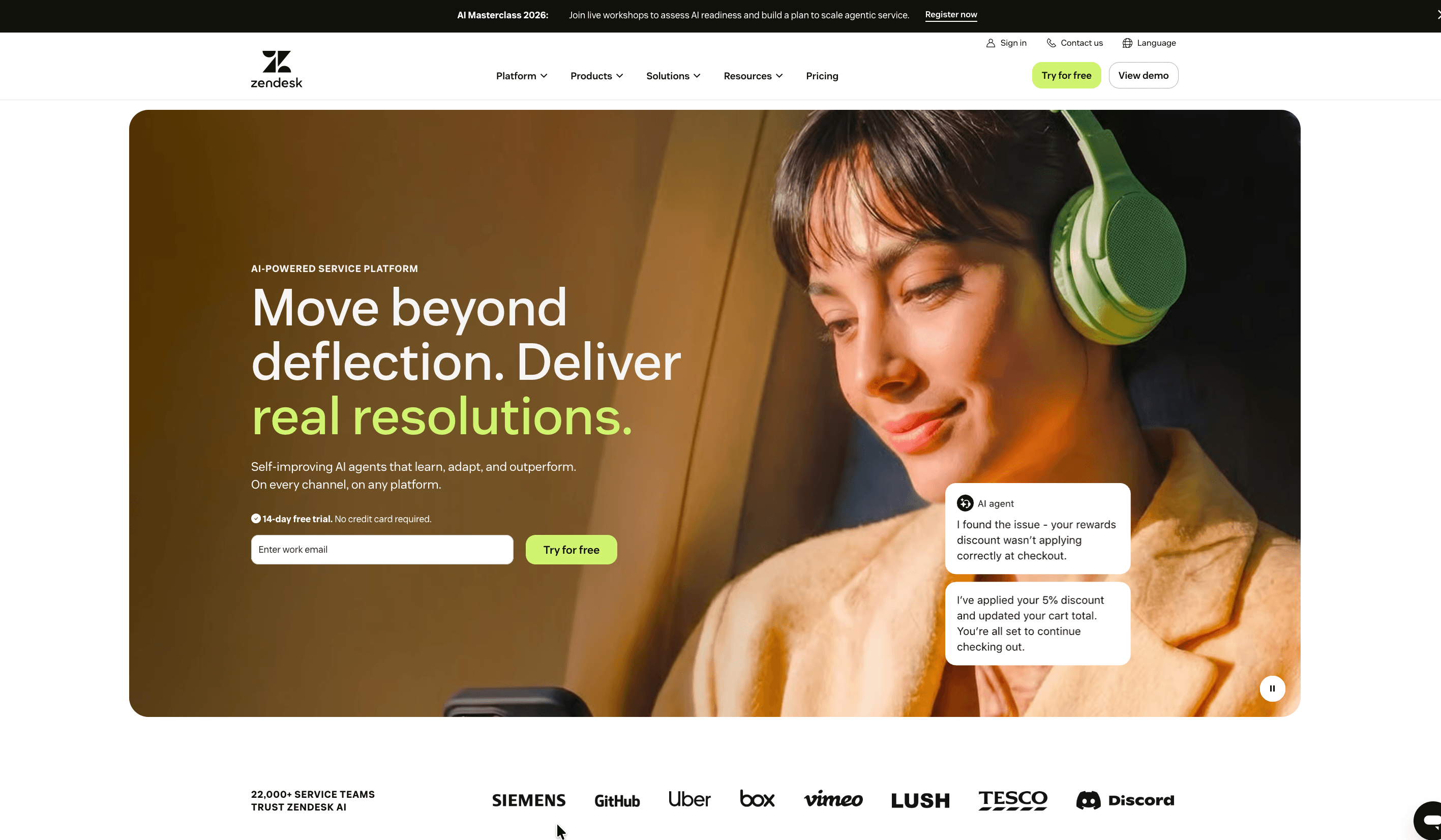
Zendesk is a cloud-based customer service platform that pulls email, live chat, phone, social messaging, and self-service into a single ticketing system, then layers AI automation on top. This Zendesk review looks at how the platform performs in 2026, when the company positions itself as an AI-first "Resolution Platform" built around self-learning agents that can handle a large share of routine interactions without human involvement.
The core idea is straightforward: every customer request becomes a trackable ticket, and agents work those tickets from one workspace that carries full conversation history and context. Around that ticketing spine sit knowledge management, analytics, quality assurance, workforce management, and a broad integrations marketplace. Zendesk serves a wide range of organizations, from small teams handling a steady stream of email to large enterprises running multi-brand contact centers across dozens of languages, and it is used by companies such as Siemens, Uber, Lush, Tesco, and Discord.
Where Zendesk tends to stand out is depth of configuration and scale. Teams that handle high ticket volumes across several channels and need custom workflows, routing logic, and reporting get a mature, dependable system. Smaller teams that want to launch in a day and keep costs predictable sometimes find it more platform than they need. The tradeoff between power and simplicity runs through almost every part of the product.
| Key data | Details |
|---|---|
| Website | zendesk.com |
| Developer | Zendesk, Inc. |
| Founded | 2007 (Copenhagen, Denmark) |
| Headquarters | San Francisco, California, USA |
| Supported platforms | Web, iOS, Android (browser-based agent workspace, native mobile apps) |
| Free plan | No permanent free plan; 14-day free trial, no credit card |
| Primary purpose | AI-powered customer and employee service, ticketing, and omnichannel support |
Zendesk was founded by three friends — Mikkel Svane, Alexander Aghassipour, and Morten Primdahl — who started building the product in a Copenhagen loft. The company went public in 2014 and, in 2022, was taken private in a roughly $10.2 billion acquisition led by Hellman & Friedman and Permira. Today it supports well over 100,000 businesses worldwide.
Is Zendesk Safe and Trustworthy
Zendesk carries the security posture you would expect from an established enterprise platform, and its handling of customer data is documented in detail through its Trust Center. The service runs on Amazon Web Services, with data hosted in data centers certified to ISO 27001, PCI DSS Service Provider Level 1, and SOC 2 standards. Customers can also choose their data hosting region, such as the EU or US, which matters for teams with residency requirements.
On certifications, Zendesk maintains SOC 2 Type II reporting alongside ISO 27001, ISO 27018 (cloud PII protection), ISO 27701 (privacy management), and ISO 42001 (AI governance). It is also FedRAMP authorized for US government engagements. These certifications apply to in-scope services without any extra configuration or cost on the customer's side. Data is encrypted in transit using HTTPS and TLS, and at rest using AES-256. For teams with stricter needs, an Advanced Data Privacy and Protection add-on adds bring-your-own-key encryption, custom data retention, data masking, PII redaction, and access logs.
On the account level, security controls include single sign-on via SAML and OIDC, two-factor authentication, role-based access control, IP restrictions, and configurable password policies. Zendesk runs annual third-party penetration tests and maintains a secure development lifecycle with design and code reviews.
Compliance responsibilities are shared, which is worth understanding before signing. Under GDPR, the customer is typically the data controller and Zendesk acts as processor, with a Data Processing Agreement and Standard Contractual Clauses available for cross-border transfers. HIPAA support is possible but not automatic: it requires a signed Business Associate Agreement, the Advanced Compliance add-on, and specific configuration, and only certain products are eligible.
| Security parameter | What Zendesk offers |
|---|---|
| Certifications | SOC 2 Type II, ISO 27001, ISO 27018, ISO 27701, ISO 42001, FedRAMP |
| Encryption | AES-256 at rest, TLS/HTTPS in transit; optional BYOK |
| Hosting | AWS, with selectable data region (e.g. EU, US) |
| Access controls | SSO (SAML/OIDC), 2FA, role-based access, IP restrictions |
| Privacy compliance | GDPR, CCPA, LGPD frameworks; HIPAA-eligible with BAA and add-on |
| Data governance | Retention schedules, redaction, AI-powered redaction suggestions |
Reputation is more nuanced. Across G2, Capterra, TrustRadius, and Gartner Peer Insights, Zendesk holds solid scores in the low-to-mid 4-star range and is consistently described as stable and reliable for core ticketing. The picture on Trustpilot looks far worse, but that gap has a clear explanation: Trustpilot largely collects complaints from end-users of companies that happen to use Zendesk, rather than from Zendesk's own paying customers, so it says little about the platform itself. For business evaluation, the analyst-style platforms give a more representative signal.
Core Features and Capabilities
Zendesk's feature set is built around a unified agent workspace where conversations from every channel land in one queue with full customer context. From there, the platform's tooling covers automation, self-service, quality, and workforce planning. The most useful capabilities cluster into a few areas rather than a long undifferentiated list.
Ticketing and workflow automation form the backbone. Agents lean on macros (pre-written response templates), triggers (condition-based rules that fire on ticket changes), and views (filtered queues) to move high volumes efficiently without writing code. Omnichannel and skills-based routing direct tickets to the right agent, and side conversations let agents loop in colleagues or external parties without leaving the ticket.
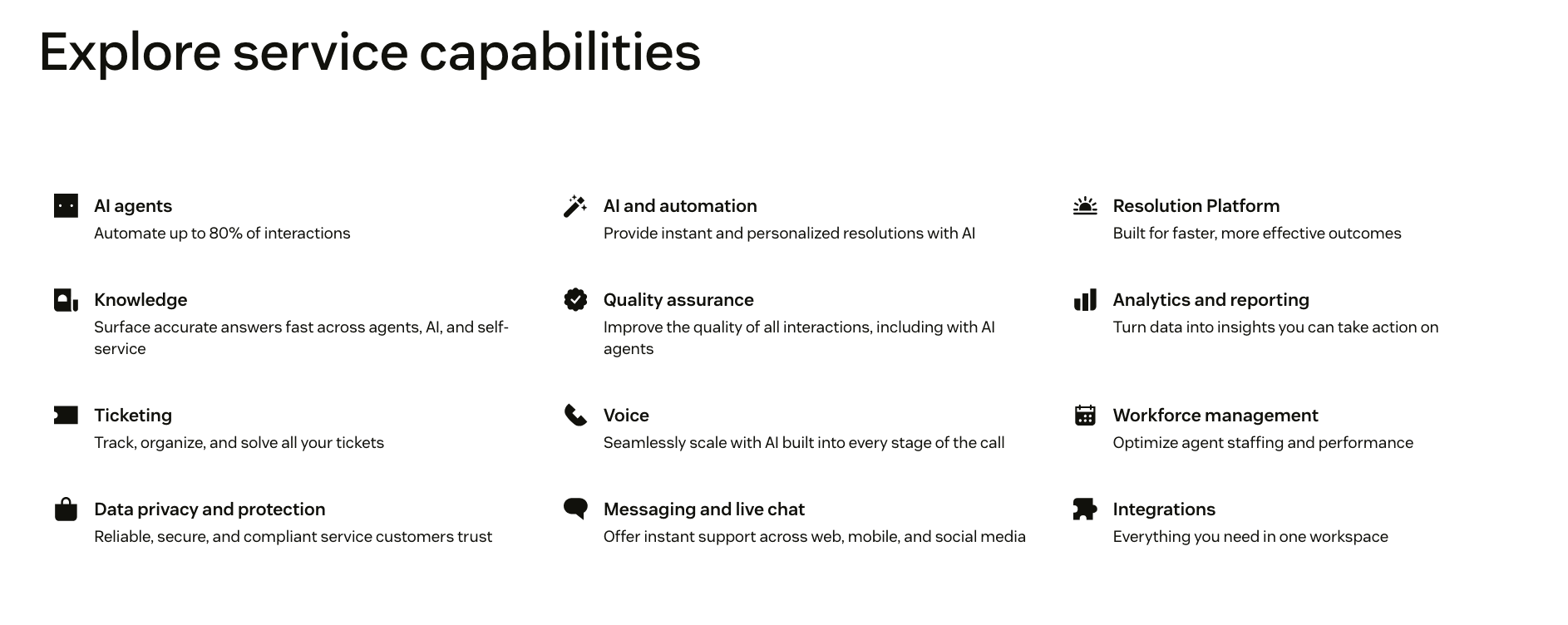
The AI layer is where Zendesk has invested most heavily. Its AI agents can resolve routine requests autonomously across channels, and the company markets automation of up to 80% of interactions, though real-world deployments vary widely — fresh implementations often start closer to 20%, with well-tuned, mature setups reaching around 70%. Copilot assists human agents with reply drafting, ticket summarization, next-best-action suggestions, and tone adjustments. Both depend heavily on a clean, well-maintained knowledge base to draw from; without good source content, results disappoint.
The AI agent builder lets teams define procedures in plain language — for example, verifying that an order has not shipped before cancelling it — and connect those procedures to live systems. This is what turns the AI from a canned-response bot into something that can take action mid-conversation.
Beyond automation, the platform includes a knowledge base and help center for self-service, community forums, CSAT surveys, quality assurance scoring for both human and AI interactions, workforce management for forecasting and scheduling, and Explore analytics for reporting on response times, resolution rates, and agent performance. Reporting depth is a recurring point of praise, though the most advanced analytics sit on higher tiers.
Zendesk Pricing and Plans Explained
Zendesk pricing is per agent, per month, and the sticker price rarely reflects the final bill. The public page shows four cards, and prices below are for annual billing — monthly billing runs roughly 15–25% higher. The entry-level Support Team plan covers email and ticketing only, with no live chat, help center, or AI; most teams that want those move to a Suite plan. The Suite tiers bundle messaging, live chat, voice, knowledge base, and AI agents together.
| Plan | Price (annual, per agent/mo) | Best for | Key inclusions |
|---|---|---|---|
| Support Team | €19 / ~$19 | Small teams needing core ticketing | Email and ticketing, ticket routing, prebuilt analytics dashboards, pre-written responses, automations and triggers, 1,000+ integrations |
| Suite Team | €55 / ~$55 | Teams unifying channels with AI agents | Everything in Support Team, plus AI agents, knowledge base, action builder, omnichannel routing, messaging and live chat, telephony |
| Suite Professional (most popular) | €115 / ~$115 | Growing teams optimizing operations | Everything in Suite Team, plus admin copilot, app builder, writing tools, quick reports, skills-based routing, IVR phone tree, side conversations, HIPAA-eligible enablement, custom reporting |
| Suite Enterprise + Copilot | Contact sales (historically ~$169) | Large orgs needing governance and proactive AI | Everything in Suite Professional, plus intelligent triage, auto assist, generative AI for voice, approval workflows, sandbox environment, custom agent roles, multi-brand help centers, bundled Copilot |
The critical detail for budgeting is add-ons, which stack on top of any base plan. AI agent resolutions are billed on an outcome basis — you pay per successfully automated resolution, with mid-market rates reported around $1–2 per resolution and enterprise volume discounts below that. Copilot is a separate line item at roughly $50 per agent per month on lower tiers (it's bundled into the top tier). Quality Assurance runs about $35 per agent per month and Workforce Management about $25, with the two available together as a Workforce Engagement bundle. A dedicated Contact Center package for voice-first teams starts higher and adds per-minute usage charges once included call blocks run out. A 10-agent team on Suite Professional that turns on Copilot, QA, and WFM can land near $3,300 per month before resolution overages.
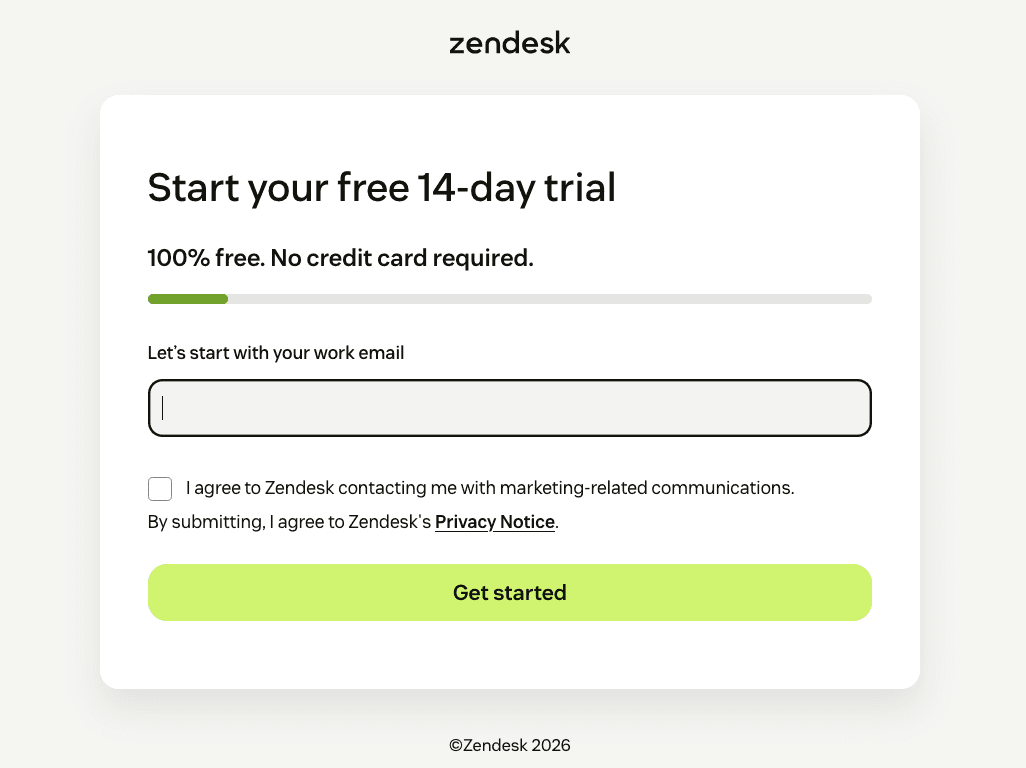
On the free side, there is no permanent free tier, but Zendesk offers a 14-day free trial that defaults to Suite Professional and requires no credit card, with a one-time extension available on request. Qualifying early-stage startups can apply to the Zendesk for Startups program for a minimum of six months free — extendable up to two years for VC- or accelerator-affiliated companies — covering Suite Professional and Copilot for up to 50 agents, though voice usage and HIPAA are excluded during the program.
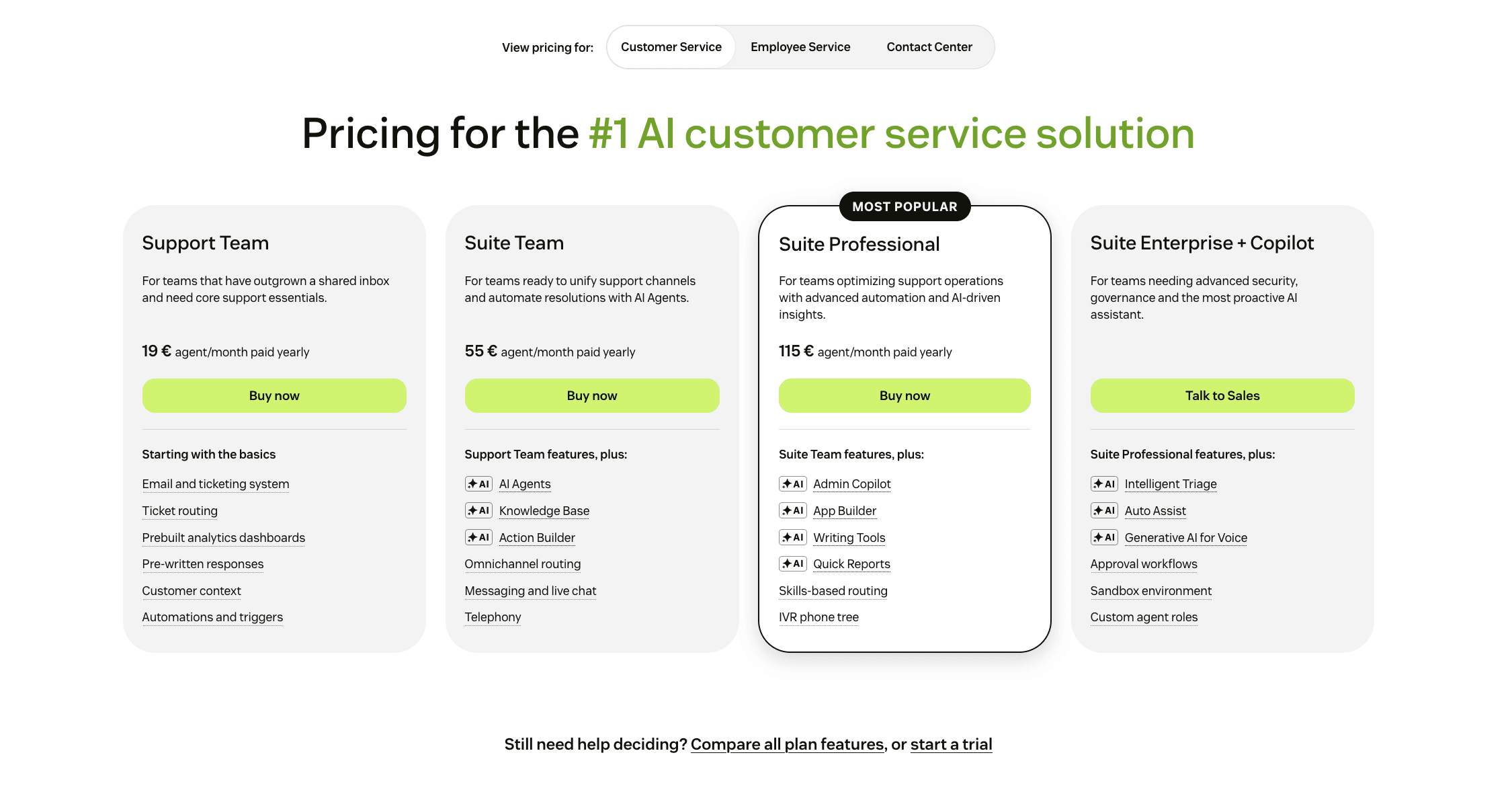
Two things consistently surprise buyers. Suite plans require annual contracts, and reducing agent seats mid-contract is generally not possible, so teams with seasonal staffing should size carefully. And the modular add-on model means the capabilities most people associate with "modern support" — advanced AI, voice, workforce management — are priced separately from the seat.
Integrations and Compatibility
The integrations marketplace is one of Zendesk's genuine strengths and a frequent reason teams choose it. The Zendesk Marketplace offers well over 1,000 pre-built apps — with more than 1,500 integrations available when counting partner connectors — spanning CRM, e-commerce, collaboration, analytics, productivity, and communication categories. Many are free; some carry a per-agent or monthly cost noted in the listing.
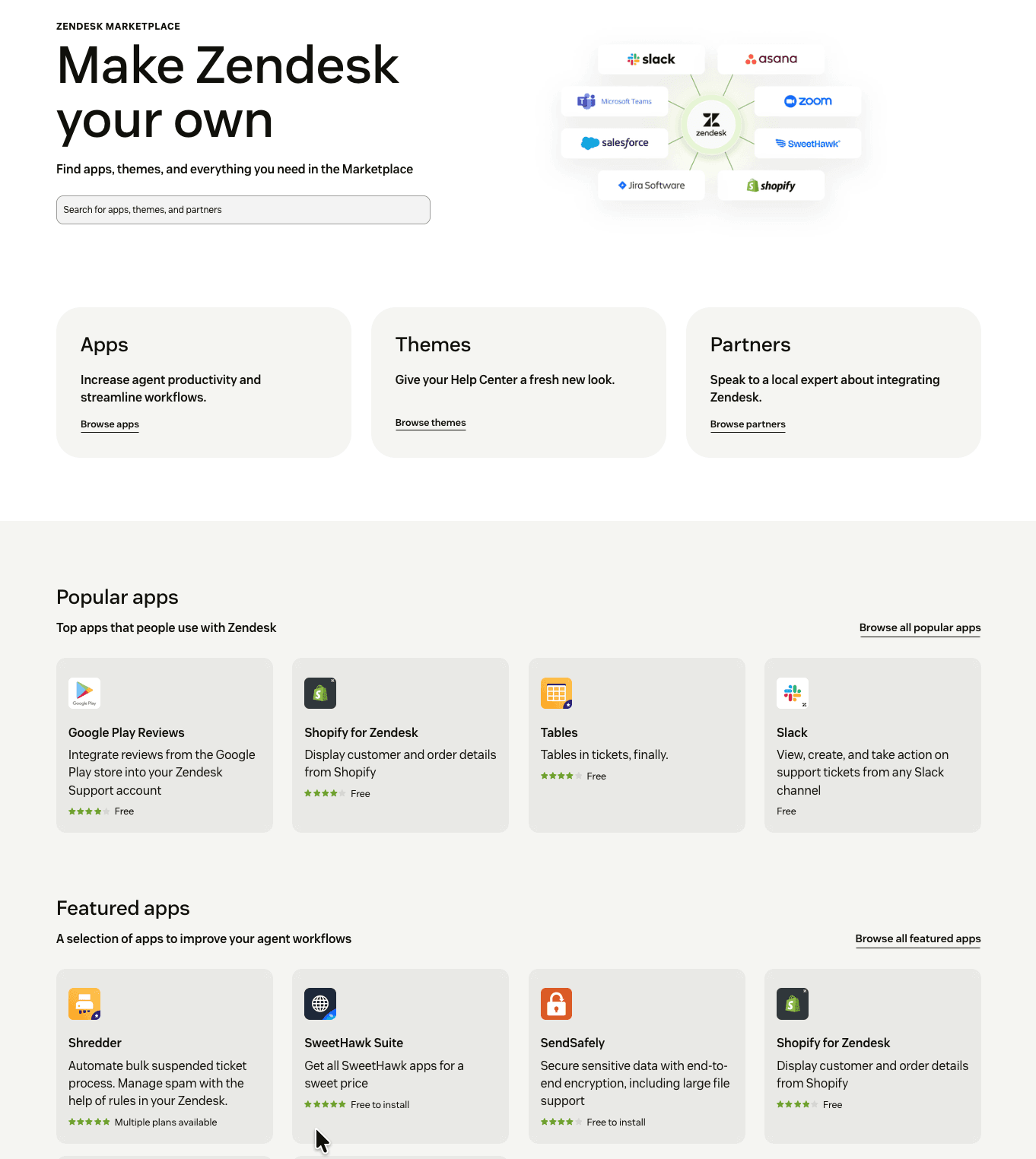
Among the most widely used integrations, a handful cover the common workflows most teams need:
- Salesforce surfaces customer contact details, plan type, and sales history inside the agent view, and lets agents create or update Salesforce records without leaving Zendesk.
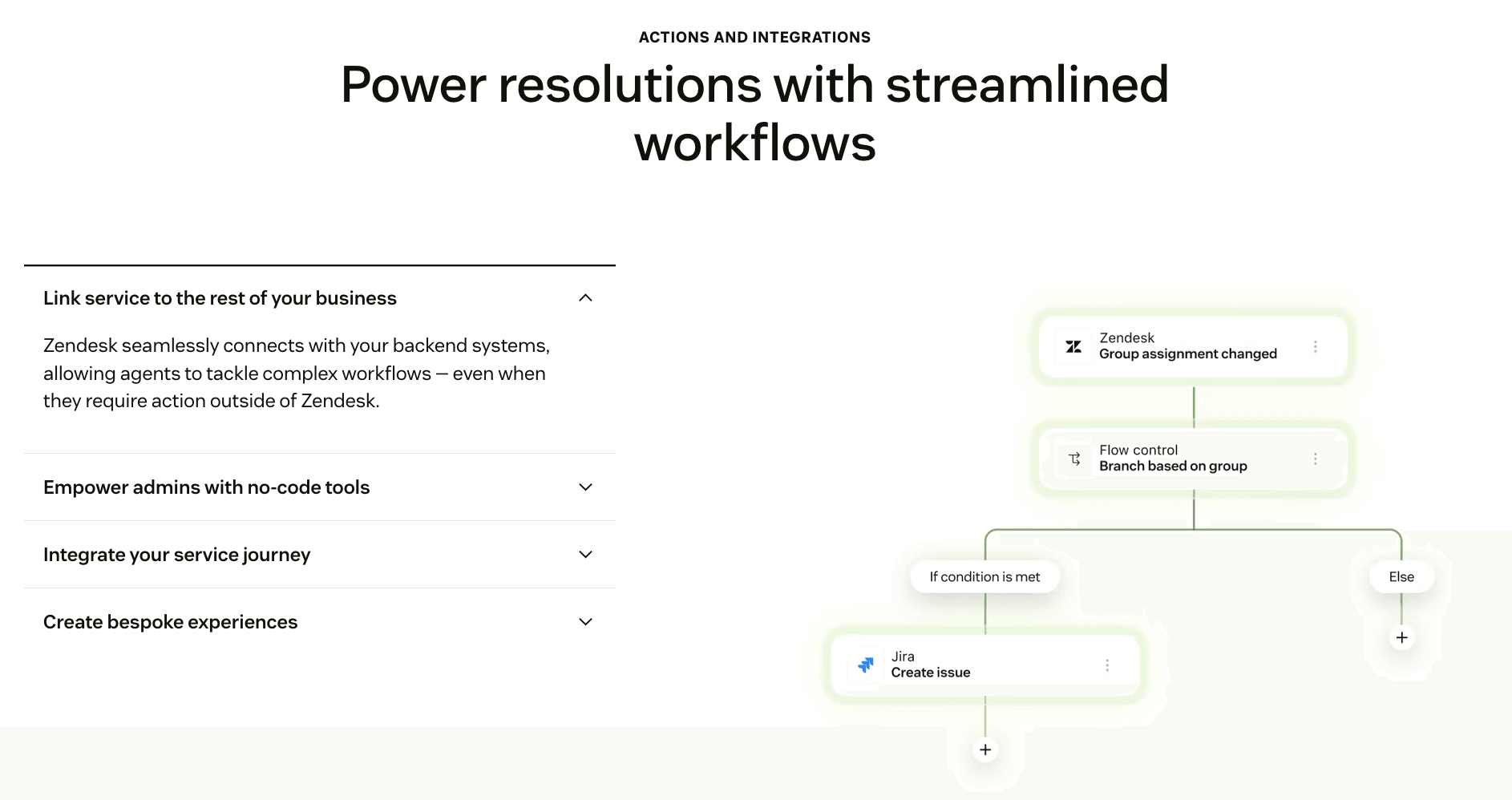
- Jira links support tickets to engineering issues so bugs escalate cleanly, with status and comments syncing between both systems.
- Slack creates tickets from messages, adds internal notes, and pushes real-time ticket notifications into channels.
- Shopify displays customer and order details and lets agents handle shipping issues, refunds, and returns directly in the ticket.
- Microsoft Teams, Zoom, Asana, and WhatsApp round out collaboration and messaging coverage, with native Meta integration making WhatsApp and Instagram DM support straightforward.
For anything not covered off the shelf, Zendesk exposes a deep REST API and a full developer platform. The API reference spans the Support API, Help Center API, AI Agents API, Conversations API, Talk (voice) API, Chat API, Custom Objects API, and more. Teams can also build private, event-driven integrations using Zendesk Integration Services (ZIS), available on Suite Growth and above, which handles flows, actions, and job specifications for connecting Zendesk to external systems. Because native connectors sometimes favor one-directional sync, teams needing robust two-way data flow occasionally reach for third-party integration platforms.
Zendesk Apps and Platform Availability
Zendesk is fundamentally a web application, so the full agent workspace, admin center, and reporting run in any modern browser with no installation. That browser-first design means there is no separate Windows, Mac, or Linux desktop app to maintain — the same interface works across operating systems, and configuration changes propagate everywhere at once.
For work away from the desk, Zendesk offers native mobile apps for both iOS and Android. The mobile agent app lets support staff view, update, and respond to tickets, add internal notes, and stay on top of queues while away from a computer. The mobile experience is focused on ticket handling rather than full administration, so heavy configuration work still belongs on the web, but for agents who need to triage and reply on the move it covers the essentials.
End-users interact with Zendesk through whatever channels a company enables: an embedded web widget for messaging and self-service, a branded help center, email, live chat, social messaging apps, and voice. The messaging widget can be embedded on any website or help center and supports automated bot flows that suggest relevant knowledge base articles before routing to a human.
Getting Started With Zendesk
Signing up for Zendesk is quick, and the trial gives full access before any commitment. The process takes only a few minutes in the browser.
- Go to the Zendesk registration page and enter your work email.
- Fill in the basics — name, phone number, company name, and team size — and agree to the privacy terms.
- Choose your unique subdomain, which becomes your support URL in the form yourcompany.zendesk.com.
- Confirm your account and let the setup wizard walk you through the first steps.
- Connect your support email and any channels you want, then invite your team members as agents.
- Explore the workspace on the Suite Professional trial for 14 days, and select a paid plan when ready — all configurations, tickets, and help center content carry over.
Worth setting expectations on time-to-value: agents typically find the day-to-day workspace intuitive once it's configured, but standing up workflows, permissions, and integrations takes real admin effort. Independent reviews put a typical implementation somewhere in the four-to-twelve-week range for a full setup, and smaller teams without a dedicated admin sometimes engage a Zendesk implementation partner to go live.
Support and Contact Options
Zendesk provides several ways to reach its own support team, and — fittingly for a support platform — self-service is the front door. Signed-in customers first meet an AI agent that resolves many common issues automatically before offering a handoff to messaging or a callback. The knowledge base, developer documentation, and an active community forum are strong, and many users report getting answers faster there than through direct channels.
| Channel | Details |
|---|---|
| AI agent / messaging | Available in the help center after signing in; resolves common issues and routes to humans or callbacks |
| Web form | Submit a support request while signed in; replies come by email and are tracked under "My activities" |
| Phone | US toll-free line staffed 8am–6pm Eastern, Monday–Friday (excluding holidays), in English |
| Help center | Extensive knowledge base and product documentation, available across multiple languages |
| Community forum | Peer and expert discussion, widely praised for quick practical help |
| Sales contact | Dedicated form and chat for pricing, plans, and enterprise requirements |
One honest caveat that shows up repeatedly in reviews: response times from Zendesk's own direct support team can be slow, particularly for billing and contract matters, and lower-spend accounts sometimes report a less responsive experience than large enterprise contracts receive. The community, documentation, and AI-driven self-service tend to be the faster path for everyday questions.
Zendesk Pros and Cons
Pros
- +Strong omnichannel support: email, chat, phone, social in one workspace.
- +Powerful ticketing with macros, triggers, and automation.
- +Deep reporting and analytics via Zendesk Explore.
- +Scales well from small teams to large enterprises.
- +Huge integration marketplace (1,000+ apps).
- +Capable AI tools for triage, summarization, and self-service.
Cons
- –Expensive; add-ons (Copilot, Advanced AI) inflate the real bill.
- –Steep learning curve; setup often needs a dedicated admin.
Frequently Asked Questions
Is Zendesk legit and safe to use?
Yes. Zendesk is an established, publicly documented platform founded in 2007 and used by more than 100,000 businesses. It runs on AWS, encrypts data in transit and at rest, and holds SOC 2 Type II, multiple ISO certifications, and FedRAMP authorization.
Does the platform offer a free plan?
There is no permanent free tier. You get a 14-day free trial with no credit card required, defaulting to the Suite Professional plan, and qualifying startups can access a minimum of six months free through a dedicated program.
How much does Zendesk cost?
Base plans run from about €19/$19 per agent per month for Support Team up to €115/$115 for Suite Professional (annual billing), with Suite Enterprise + Copilot quoted by sales. AI resolutions, Copilot, QA, and workforce management are separately priced add-ons that raise the real total.
What makes the most popular plan different?
Suite Professional is the tier most mid-market teams choose because it's the cheapest plan that includes skills-based routing and an IVR phone tree, along with the app builder, custom reporting, side conversations, and HIPAA-eligible enablement.
Can it integrate with tools like Salesforce and Slack?
Yes. The marketplace offers over 1,000 pre-built apps covering Salesforce, Slack, Jira, Shopify, Zoom, Microsoft Teams, and many more, plus a full REST API and the ZIS platform for custom integrations.
Is there a mobile app?
Yes, native apps are available for both iOS and Android for handling tickets on the go, while the full workspace and admin tools run in any browser.
How long does setup take?
A basic account can be running in minutes, but a full production setup with custom workflows, routing, and integrations commonly takes several weeks, and complex configurations sometimes benefit from a Zendesk partner.
Who is the platform best suited for?
It fits mid-to-large support teams handling high volumes across multiple channels that need deep customization and reporting. Very small teams wanting fast, low-maintenance, low-cost support sometimes find it heavier and pricier than needed.