
Wrike Review 2026: A Complete Look at the Work Management Platform
What Is Wrike and Who Is It For
Wrike is a cloud-based work management platform built to plan, track, and deliver complex projects across teams. Rather than positioning itself as a lightweight to-do app, it targets organizations that run structured processes — marketing departments, creative and design teams, professional services firms, IT groups, and project management offices that juggle many moving parts at once. The platform centralizes tasks, schedules, files, approvals, and reporting in one place, with deep customization sitting at the core of how it works.
The service has been operating since 2006 and is used by more than 20,000 organizations worldwide, including Siemens, Estée Lauder, Ogilvy, and Sony Pictures. Its defining trait is depth: folders, projects, spaces, custom item types, custom workflows, and cross-tagging give teams an unusual amount of control over how work is modeled. That same depth is also the reason this Wrike review keeps returning to one theme — the platform rewards teams that genuinely need structure and asks more of those who don't.
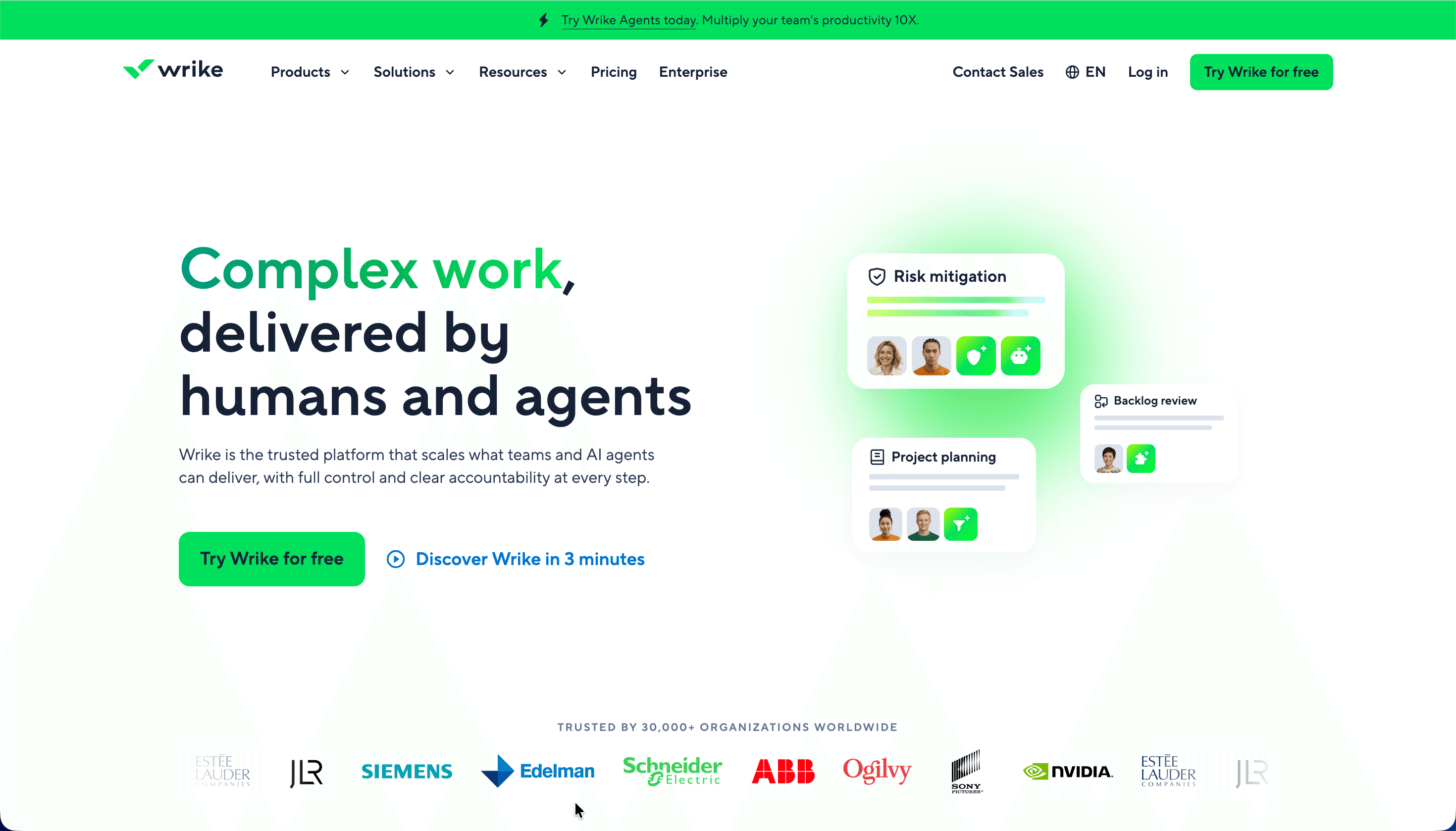
A recent direction for the product is its push into AI and autonomous agents, marketed under the banner of "complex work, delivered by humans and agents." Wrike Copilot answers questions and summarizes work inside projects, while AI agents handle routine workflow steps. These capabilities now sit alongside the traditional project management toolkit rather than replacing it.
| Key data | Details |
|---|---|
| Website | wrike.com |
| Developer | Wrike, Inc. |
| Launched | 2006 |
| Supported platforms | Web, Windows, macOS, Linux (browser), iOS, Android |
| Free plan / trial | Free plan available; 14-day trial of paid features |
| Primary purpose | Work and project management for teams |
Is Wrike Safe and Reliable
Wrike is backed by an established company with a long track record and serious institutional ownership history. Founded by Andrew Filev, it was acquired by Citrix in 2021 for $2.25 billion, spun back out in 2022, and is now owned by Symphony Technology Group. The company is headquartered in the United States and maintains offices across Europe, Asia, and Australia, employing well over a thousand people. That maturity matters for a tool meant to hold years of operational data.
On the security side, Wrike holds a broad set of independent certifications, including SOC 2 Type II and the full ISO 27000 series — ISO 27001, 27017, 27018, and 27701 — along with CSA STAR and TX-RAMP Level 1. It complies with GDPR, CCPA, and HIPAA, and adheres to the EU-U.S., UK, and Swiss-U.S. Data Privacy Frameworks. For health data specifically, Wrike can provide a Business Associate Agreement that meets HIPAA requirements on request. Data residency is determined automatically by where you register: European accounts are hosted in a Paris data center isolated for EU customers, while other accounts run from the primary U.S. facility in Santa Clara, California.
Day-to-day protection rests on encryption, granular role-based access control, customizable user types, two-factor authentication, and single sign-on through SAML 2.0, Google, Azure, Office 365, and ADFS. Organizations with the strictest requirements can add Wrike Lock, which lets them manage their own encryption keys. Reliability is backed by a stated uptime above 99.9%, real-time database replication with a 15-minute recovery point objective, and a read-only replica that stays accessible during maintenance.
| Security parameter | Details |
|---|---|
| Certifications | SOC 2 Type II, ISO 27001/27017/27018/27701, CSA STAR, TX-RAMP Level 1 |
| Compliance | GDPR, CCPA, HIPAA (BAA on request) |
| Authentication | 2FA, SSO (SAML 2.0, Google, Azure, Office 365, ADFS) |
| Access control | Role-based permissions, customizable user types |
| Encryption | Data encryption; customer-managed keys via Wrike Lock add-on |
| Data centers | Santa Clara (US), Paris (EU) |
| Uptime | 99.9%+, 15-minute recovery point objective |
User sentiment reflects this enterprise-grade foundation but adds nuance. Across review platforms, Wrike holds roughly 4.2 on G2 and 4.4 on Capterra, with notably higher marks on enterprise-focused sites like Gartner Peer Insights. Reviewers do flag practical caveats worth knowing: permission inheritance can expose more than intended if not configured carefully, and some of the strongest controls live only on higher tiers.
Core Features and Capabilities
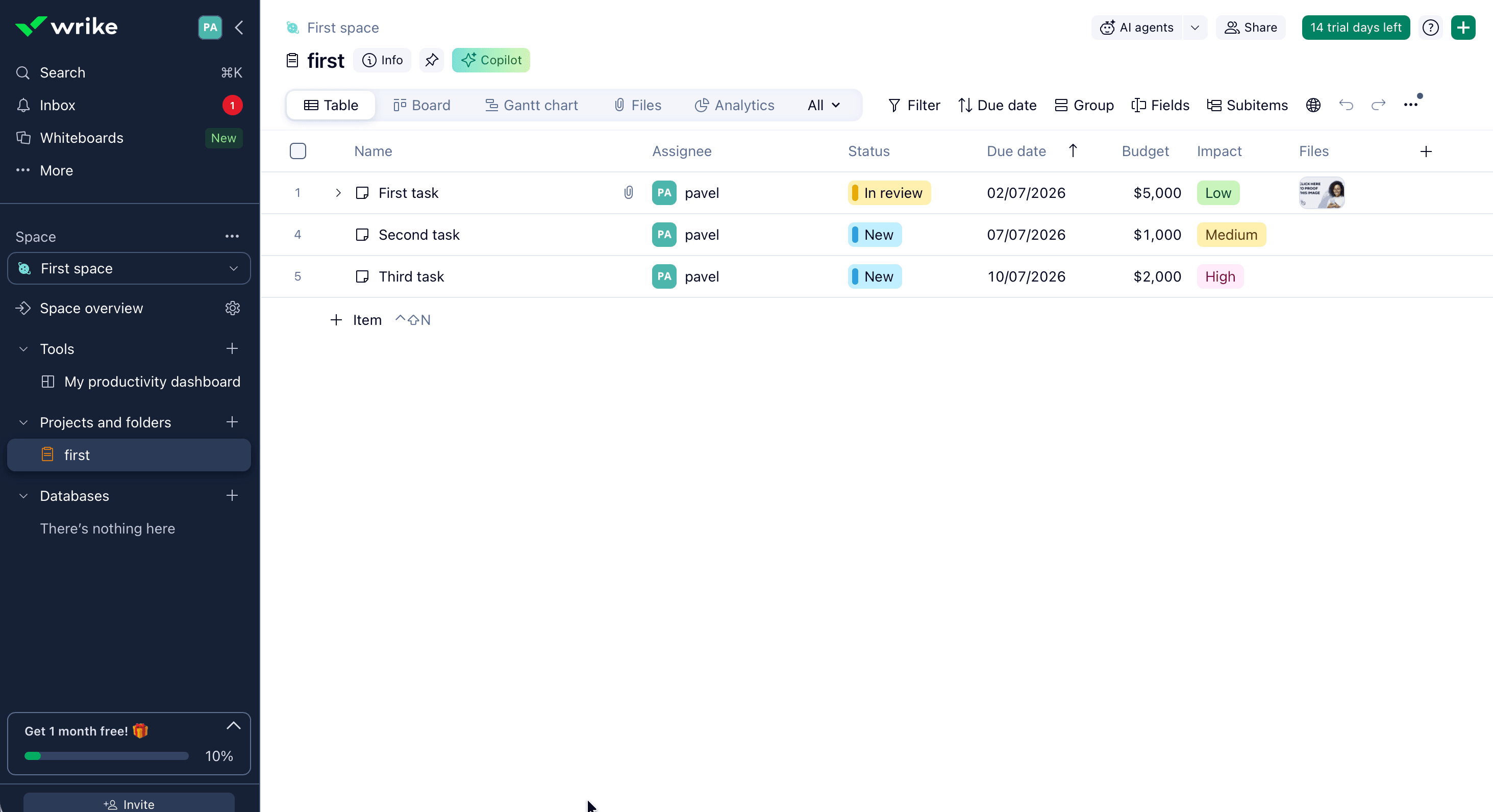
The heart of Wrike is its flexibility in how work is viewed and organized. Teams can switch between multiple project views depending on the plan, including a spreadsheet-style table, drag-and-drop Kanban boards, interactive Gantt charts with dependency mapping, calendars, and analytics dashboards. The same set of tasks can be displayed in whichever format suits the person looking at it, which is part of why the platform appeals to cross-functional teams that don't all work the same way.
Beyond views, several capabilities define what the platform actually does day to day:
- Custom workflows and item types. Statuses, fields, and work item categories can be reshaped to mirror a team's real process rather than forcing work into a fixed template.
- Automation. A rule-based engine follows a simple "when, then" logic to assign tasks, change statuses, and trigger notifications, applied across selected projects and folders to cut manual steps.
- Dynamic request forms. Intake forms with conditional logic route incoming work to the right place with the right information, and can be branded with logos and custom links.
- Proofing and approvals. Files can be reviewed and compared across versions with multi-level approval flows, which is a major draw for creative and marketing teams.
- Resource and capacity planning. Workload views, time tracking, and timesheets help managers balance who is doing what, available from the Business tier upward.
- Cross-tagging. A single task or folder can live in multiple projects at once, giving every team a shared view of the same work without duplicating it.
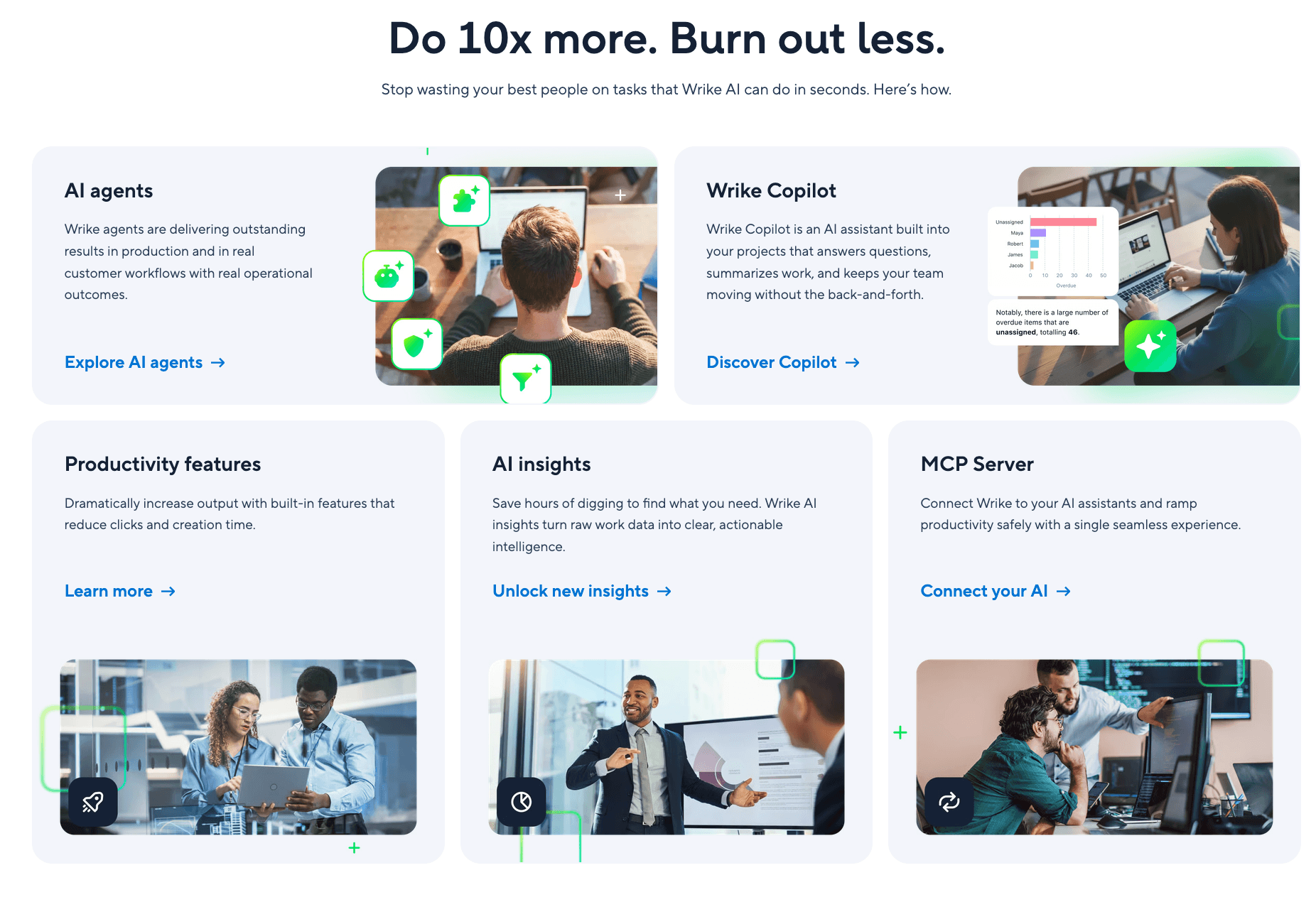
Layered on top is Wrike's AI, branded Work Intelligence. Wrike Copilot acts as an in-project assistant that answers questions and summarizes status, AI agents execute routine workflow actions, and AI insights surface risks and blockers from raw work data. There is also an MCP Server that connects Wrike to external AI assistants. As of April 2026, AI Elite actions are governed by monthly usage quotas, with additional capacity sold as an add-on pack.
Wrike Pricing and Plans
Wrike runs a five-tier model: a permanent Free plan, two self-serve paid plans (Team and Business), and two sales-quoted enterprise plans (Pinnacle and Apex). This structure took effect on January 21, 2026, when Wrike retired its legacy Enterprise plan for new customers and split the high end into Pinnacle and Apex. Existing Enterprise contracts were grandfathered. Listed prices are billed annually on a per-user basis and shown in US dollars.
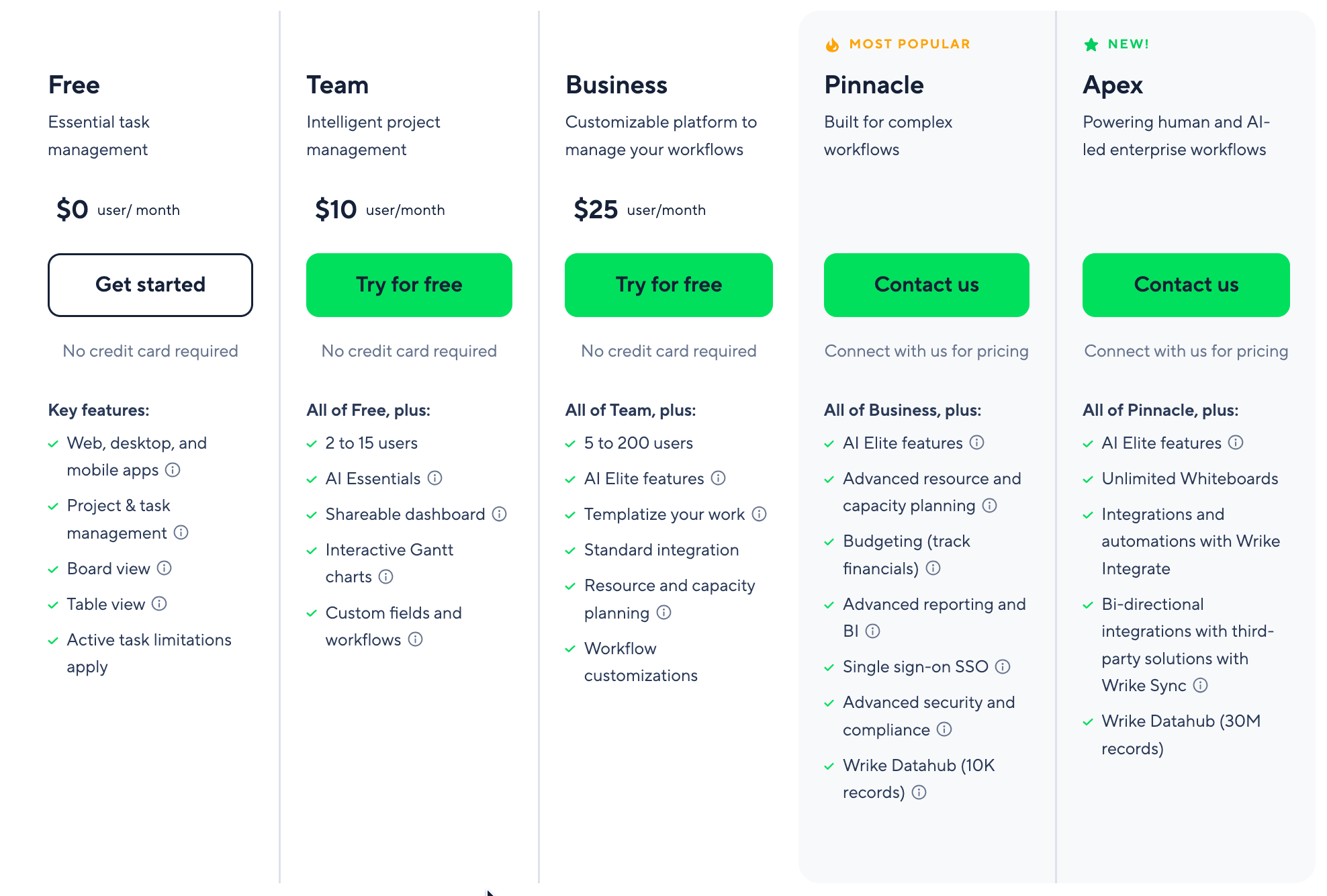
The detail that the headline numbers don't show is how seats are sold. Wrike licenses users in fixed bands — groups of five below 30 seats, groups of ten from 30 to 100, and groups of 25 above 100 — so a six-person team pays for ten seats. The Business plan also carries a five-seat minimum, which turns its $25 per-user rate into a floor of roughly $125 per month. The Free plan covers essential task management, while the 14-day trial lets teams test paid features without a credit card.
| Plan | Price (per user/month, billed annually) | Users | Best for | Notable inclusions |
|---|---|---|---|---|
| Free | $0 | Up to 5 | Individuals, freelancers, small teams | Web/desktop/mobile apps, project & task management, board and table views; active task limits apply |
| Team | $10 | 2–15 | Small teams needing more structure | AI Essentials, shareable dashboards, interactive Gantt charts, custom fields and workflows, 50 automation actions/seat per month |
| Business | $25 | 5–200 | Teams needing full customization | AI Elite starter actions, work templates, standard integrations, resource and capacity planning, workflow customization, 200 automation actions/seat per month |
| Pinnacle | Custom (commonly ~$45–55) | 5+ | Complex enterprise workflows | 3x AI Elite actions, advanced resource and capacity planning, budgeting, advanced reporting and BI, SSO, advanced security, 1,500 automation actions/seat per month |
| Apex | Custom (commonly ~$60–80) | 30+ | AI-led enterprise at scale | 10x AI Elite actions, unlimited Whiteboards, Wrike Integrate and Wrike Sync bundled, Wrike Datahub (30M records), 3,000 automation actions/seat per month |
Several premium capabilities sit outside the core plans as paid add-ons, included by default only on Apex. Knowing these exist matters for budgeting, because they can quietly raise the real cost on lower tiers.
| Add-on | Price | What it does |
|---|---|---|
| Wrike Whiteboard | $15/user/month | Collaborative brainstorming and visual planning |
| Wrike Integrate | Custom | No-code automation across 400+ apps |
| Wrike Two-Way Sync | Custom | Bi-directional sync with 22 systems including Jira and GitHub |
| Wrike Datahub | Custom | Central data and reporting layer |
| Wrike Lock | Custom | Customer-managed encryption keys |
| AI Elite action pack | Custom | Additional AI usage capacity |
A few contract details are worth confirming before signing. Business and higher tiers are annual-only, monthly subscriptions are generally non-refundable while annual plans may qualify for a prorated refund within the first 30 days, and prices exclude local taxes. Whether the Free plan is enough depends entirely on volume: it caps active tasks and storage, and leaves out automation, advanced views, and request forms.
Integrations and Compatibility
Connectivity is one of Wrike's genuine strengths. The platform offers more than 400 integrations spanning communication, file storage, CRM, development, BI, and marketing tools. Native connections cover the apps most teams already live in — Microsoft Teams and Outlook, Google Workspace, Slack, Salesforce, Adobe Creative Cloud, Tableau, Power BI, Jira, and Zoom among them — so work can flow between systems without constant tab-switching.
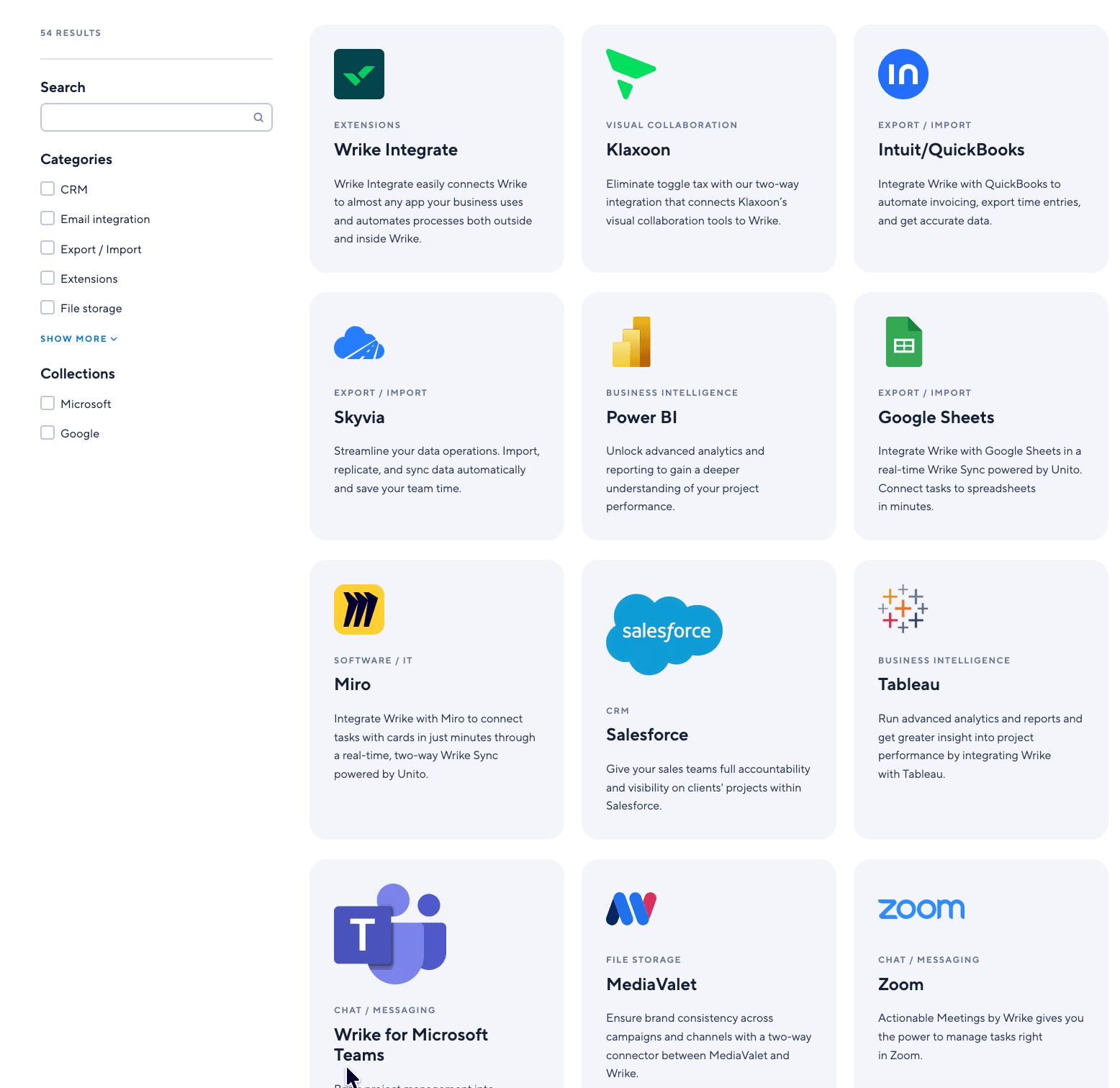
For teams that need to go further, three layers handle deeper connectivity. The native Salesforce integration, for example, installs in roughly three steps and links Salesforce objects to Wrike projects, available on Business accounts and above. Beyond the prebuilt catalog, Wrike Integrate provides no-code automation across cloud and on-premises apps and can reach thousands more services through universal connectors, while Wrike Two-Way Sync (powered by Unito) keeps Wrike and tools like Jira, GitHub, GitLab, and Bitbucket continuously aligned in both directions. Developers also get a well-documented REST API with webhooks for building custom integrations, and Wrike connects to Zapier for additional reach. One practical note: enterprise systems such as NetSuite, SAP, and most ERPs generally require the Wrike Integrate add-on rather than a native connector.
Platforms and Apps
Wrike is fully cloud-based, so the browser version runs on Windows, macOS, and Linux with nothing to install. Dedicated desktop apps for Windows and Mac are also available to every user, including viewers and collaborators, and add conveniences like unread inbox counts, native desktop notifications, multiple tabs, and the option to launch at startup. The current desktop apps support Windows 10 (22H2 or later) and macOS 12 Monterey or later, and IT admins can deploy the Windows app fleet-wide through Group Policy.
On mobile, native iOS and Android apps keep tasks, messages, and workflows synced across devices in real time. The mobile experience handles the essentials well — checking tasks, updating statuses, commenting, sharing files, and processing approvals on the go — and even supports offline edits that sync once you reconnect. The honest caveat, echoed across user reviews, is that the mobile app is built for staying on top of work rather than configuring it: advanced tasks like building dashboards, editing custom workflows, designing request forms, and setting up automation rules really belong on the desktop. For a tool this configurable, that division is reasonable, though teams expecting full parity on a phone should temper expectations.
How to Get Started With Wrike
Setting up a Wrike account is straightforward, and you can begin without entering payment details. The basic path looks like this:
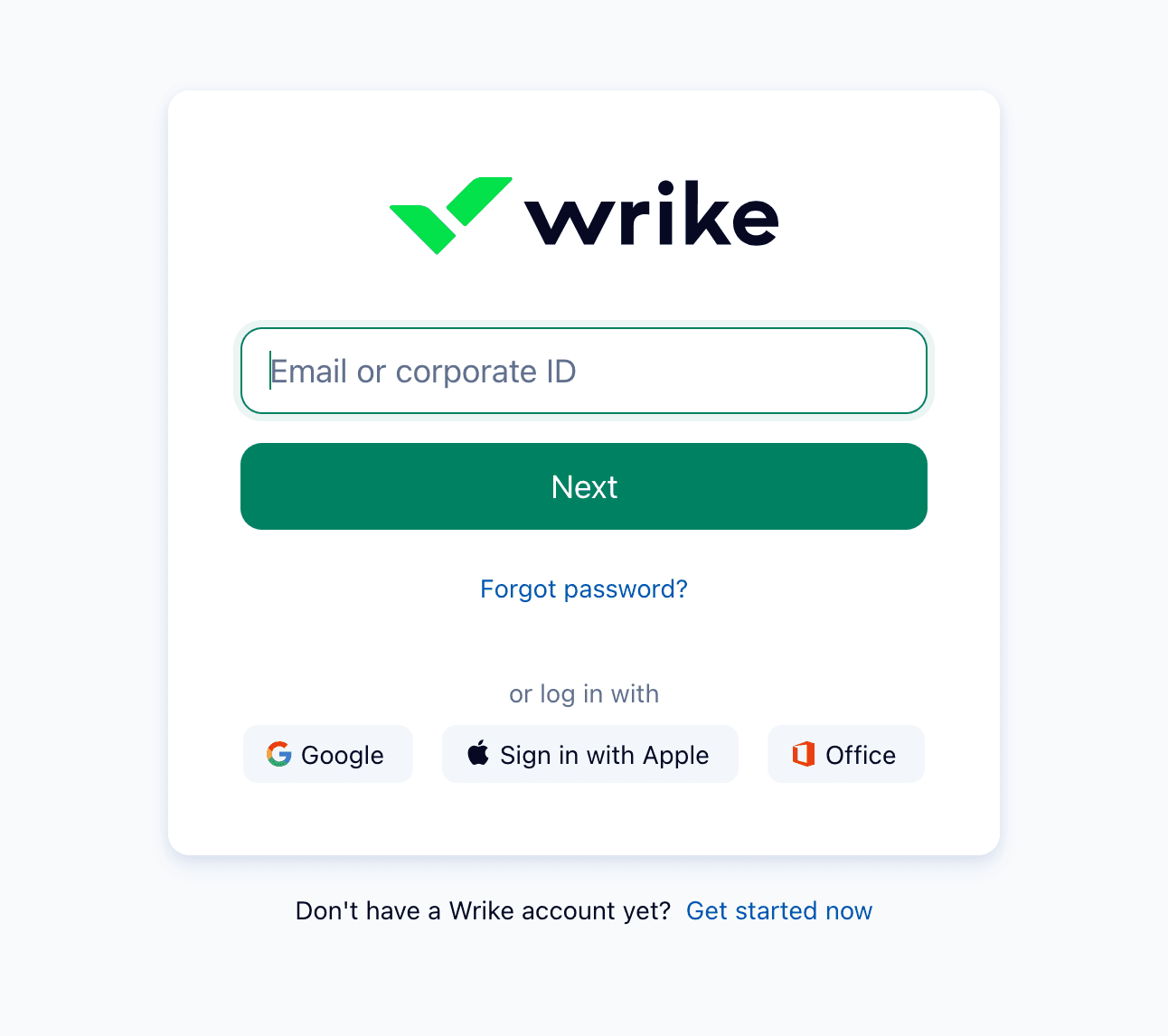
- Go to wrike.com and enter your business email, or choose "Try Wrike for free" to start the 14-day trial of paid features.
- Confirm your email and set a password, or sign up using Google, Apple, or Microsoft Office credentials.
- Answer a few onboarding prompts about your team and the type of work you manage so the workspace starts with a relevant structure.
- Create your first space, then add projects and tasks — or import an existing template to skip the blank-page stage.
- Invite teammates by email and assign their roles and permissions.
- Connect the apps your team already uses from the "Apps & Integrations" area.
When a trial expires, the account is paused rather than deleted — your data stays intact, and you can either downgrade to the Free plan or talk to a Wrike representative about a paid plan. Larger rollouts are a different exercise: enterprise deployments commonly run several months with help from a consultant, and Wrike recommends guided onboarding for teams of 20 or more. Smaller teams can self-serve much faster, but should still budget time for the initial learning curve.
Support and Contact Options
Support depth scales with the plan. Every account, including Free, gets access to Wrike's help center and community, and the knowledge base is genuinely extensive — many questions are answered there before you ever open a ticket. Paid plans unlock higher service levels, and the top tiers add premium support with faster guaranteed response times and assigned account managers. Self-paced training, live sessions, and onboarding templates round out the learning resources.
| Channel | Details |
|---|---|
| Help Center | help.wrike.com — extensive articles and how-to guides for all users |
| Community | community.wrike.com — discussions, product updates, peer answers |
| Email / web form | Ticket-based support across plans |
| Live chat | Available depending on plan |
| Phone | Available on higher tiers |
| Premium support | Round-the-clock availability with one-hour response targets and account managers on top tiers |
| Professional services | Paid onboarding and consulting packages |
| Social | Active on X, LinkedIn, Facebook, YouTube, and Instagram |
Wrike Pros and Cons
Pros
- +Deep customization: workflows, fields, item types, request forms.
- +Strong native tools: Gantt charts, proofing, approvals, time tracking.
- +Best-in-class resource management and capacity planning.
- +Powerful, detailed cross-project reporting and dashboards.
- +Robust automation engine with triggers and approvals.
Cons
- –Steep learning curve; setup can feel overwhelming.
- –Big jump from Team to Business ($25/seat, 5-seat minimum).
Frequently Asked Questions
What is Wrike used for?
Wrike is a work management platform for planning, tracking, and delivering projects across teams. It combines task management, multiple project views, automation, proofing, resource planning, and reporting in one workspace, and is most popular with marketing, creative, professional services, IT, and operations teams.
Is there a free version?
Yes. The Free plan is permanent and covers essential task management with web, desktop, and mobile apps plus board and table views, though it caps active tasks and storage and leaves out automation and advanced views. There is also a 14-day trial of paid features that requires no credit card.
How much does the platform cost?
Paid plans start at $10 per user per month for Team and $25 for Business, both billed annually. The Pinnacle and Apex enterprise tiers are custom-quoted through sales. Keep in mind that seats are sold in fixed bands and Business has a five-seat minimum, so small teams may pay for more seats than they use.
Is Wrike safe to use?
It carries enterprise-grade credentials, including SOC 2 Type II, the ISO 27000 series, CSA STAR, and TX-RAMP Level 1, along with GDPR, CCPA, and HIPAA compliance. Data is encrypted, access is controlled through roles and customizable user types, and 2FA and SSO are supported. Customer-managed encryption keys are available through the Wrike Lock add-on.
What does Wrike integrate with?
The platform connects with more than 400 apps, including Microsoft Teams, Outlook, Google Workspace, Slack, Salesforce, Adobe Creative Cloud, Tableau, Power BI, Jira, and Zoom. A REST API, Wrike Integrate, Wrike Two-Way Sync, and Zapier extend connectivity further, including to enterprise systems like NetSuite and SAP.
Does it work on mobile and desktop?
Yes. Wrike runs in any modern browser on Windows, macOS, and Linux, offers dedicated Windows and Mac desktop apps, and has native iOS and Android apps. The mobile apps cover everyday tasks and approvals, while configuration-heavy work is best done on desktop.
Is the platform hard to learn?
It can be. The same flexibility that makes Wrike powerful — custom workflows, item types, cross-tagging, automations, and layered dashboards — creates a steep first-week experience, which is the most common complaint in user reviews. Teams that invest in setup and governance tend to get strong long-term value; those wanting a simple tracker may find it heavier than needed.
Who should consider Wrike?
Mid-sized and larger teams running structured, cross-functional work — especially marketing operations, creative production, professional services, and PMOs — are the best fit. Very small teams or those needing only lightweight task tracking may find simpler, cheaper tools a better match.