
Replit Review: Building Apps With AI From a Single Prompt
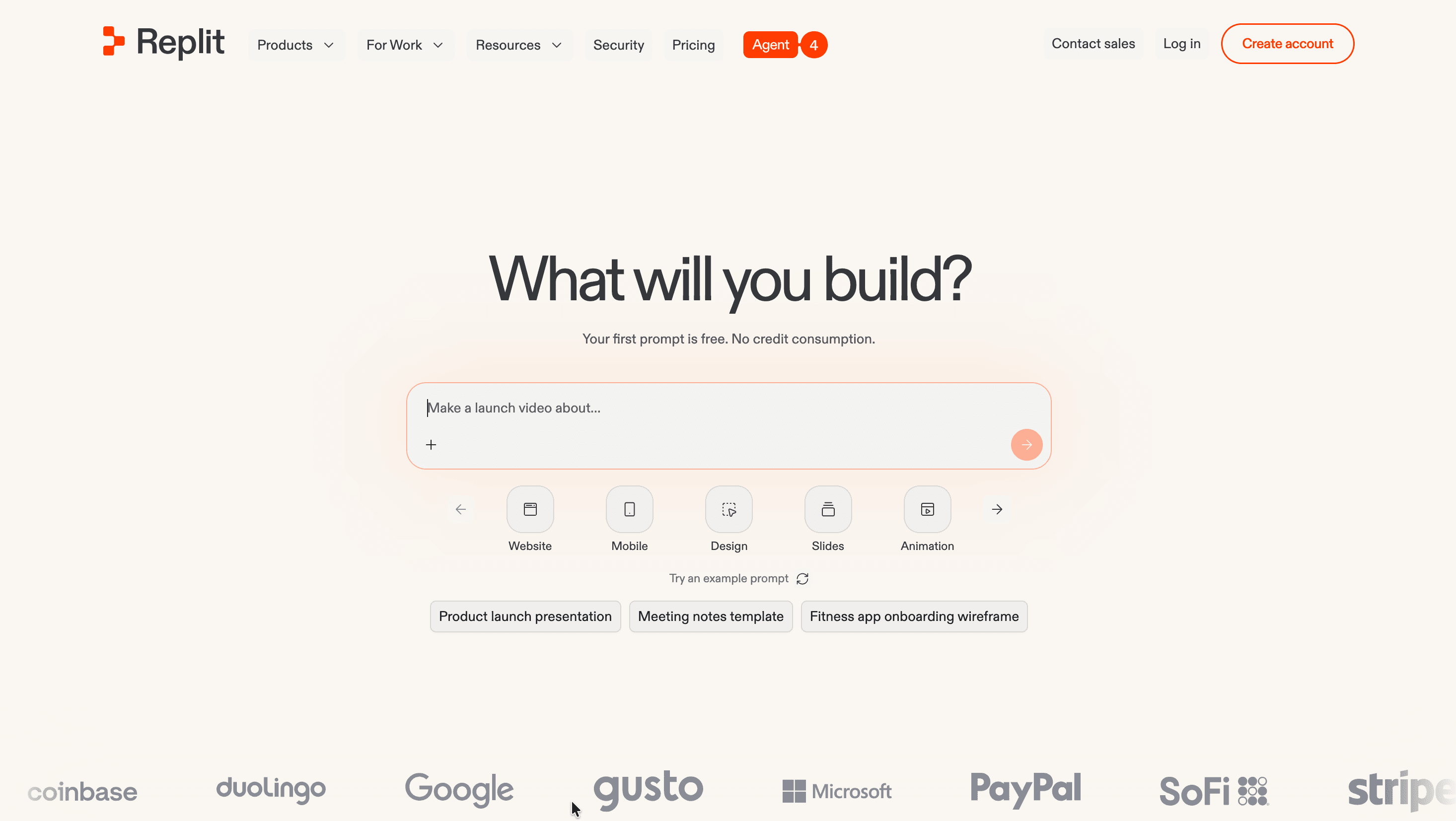
Replit is a browser-based platform where you describe an app in plain language and an AI agent writes the code, sets up the database, and deploys it. There is nothing to install: the editor, the AI, hosting, and databases all live in one tab. This Replit review walks through what the service does, what it costs, how safe it is, and who gets the most out of it.
The platform is built around Replit Agent, which turns natural-language descriptions into working web apps, mobile apps, dashboards, slides, and AI tools. Instead of only suggesting code snippets like a typical assistant, the Agent takes action across the whole build: it scaffolds the project, installs dependencies, runs the code, tests it in a real browser, and fixes problems it finds before handing the result back. That combination of an autonomous agent plus a full cloud environment is what separates it from code-completion tools and from pure prompt-to-app generators.
Replit suits a broad range of people. Non-technical founders and product managers use it to turn ideas into working prototypes without waiting on an engineering team; designers and operations staff build internal tools; and experienced developers use it for rapid prototyping and quick full-stack apps. Reviewers consistently note how quickly you go from a blank prompt to something running, with no environment setup.
| Key facts | Details |
|---|---|
| Website | replit.com |
| Developer | Replit, Inc. (San Mateo, California) |
| Launched | 2016 (Replit Agent released 2024) |
| Founders | Amjad Masad, Faris Masad, Haya Odeh |
| Platforms | Web, iOS, Android |
| Free plan | Yes (Starter), plus a free first prompt |
| Main purpose | Build and deploy full-stack apps from natural language |
Reliability and Safety: Is Replit Legit?
Replit is a well-established company rather than a new arrival. It was founded in 2016 and incorporated in San Mateo, California, and its name comes from REPL, the "read–evaluate–print loop" familiar to programmers. The company has raised close to $878 million in total funding from investors including Andreessen Horowitz, Coatue, Y Combinator, and Google's AI Futures Fund, and reached a $9 billion valuation in early 2026. It reports more than 30 million users and over 500,000 business users, which speaks to a serious operational footprint behind the product.
On the data-protection side, the platform runs on Google Cloud and has achieved SOC 2 Type II attestation. Communications are protected with TLS 1.2 or higher, and data stored in Google Cloud is encrypted at rest with AES-256. API keys and credentials are kept in a dedicated Secrets manager, encrypted and stored separately from your source code so they aren't exposed in the codebase. Each customer is isolated in its own Google Cloud project, and apps run in hardened, sandboxed Linux containers. Replit also runs a Security Center that scans projects for vulnerable dependencies before publishing, with bulk remediation and a software bill of materials available to Enterprise teams.
| Security parameter | What Replit provides |
|---|---|
| Compliance | SOC 2 Type II attestation |
| Encryption in transit | TLS 1.2+ on all traffic |
| Encryption at rest | AES-256 (Google Cloud) |
| Tenant isolation | Per-customer GCP projects, sandboxed containers |
| Secrets handling | Encrypted Secrets manager, separate from code |
| Enterprise controls | SSO/SAML, SCIM, RBAC, audit logs, VPC peering |
| Data regulations | GDPR and CCPA addressed via DPA and Standard Contractual Clauses |
Reputation is more mixed, and it is worth being clear-eyed. Across G2 and Capterra, Replit averages roughly 4.5 stars on G2's main profile, while a smaller pooled sample of detailed write-ups sits closer to 3.7. Praise centers on speed, accessibility, and how much a non-coder can accomplish. The recurring criticism is cost: because billing is tied to credit consumption, users report bills climbing faster than expected, especially with heavy Agent use or always-on deployments, and some describe slow or AI-only support. There's an important safety practice here too: on the free plan, projects are public by default, so private work requires a paid plan. Used correctly, Replit is a legitimate, security-conscious platform; the main thing to manage is spend.
Core Features and What You Can Actually Build
The heart of Replit is the Agent, but the platform bundles a full development stack around it. The features below are the ones that shape day-to-day building.
Replit Agent is the autonomous builder. You describe what you want, and it plans, writes, and tests the application, running it in a real browser and fixing failures in a reflection loop before returning a result. A Plan mode lets you review and adjust the Agent's plan before any building starts, and a Power option unlocks more capable models for complex tasks like performance work or design overhauls. The Agent can also build other agents and automations — chatbots and scheduled workflows that connect to tools like Slack or Telegram.
Beyond the Agent, several built-in capabilities matter:
- Multiple outputs in one project. Web apps, mobile apps, landing pages, slide decks, and videos can share the same backend and design inside a single project, so you don't context-switch between tools.
- Built-in database and auth. Full-stack apps get a database, user authentication, hosting, and monitoring with zero setup, including a built-in store for unstructured files like images and PDFs.
- One-click deployment. Apps can be published directly from the platform, with HTTPS handled automatically and several deployment types (autoscale, reserved VM, static, scheduled jobs).
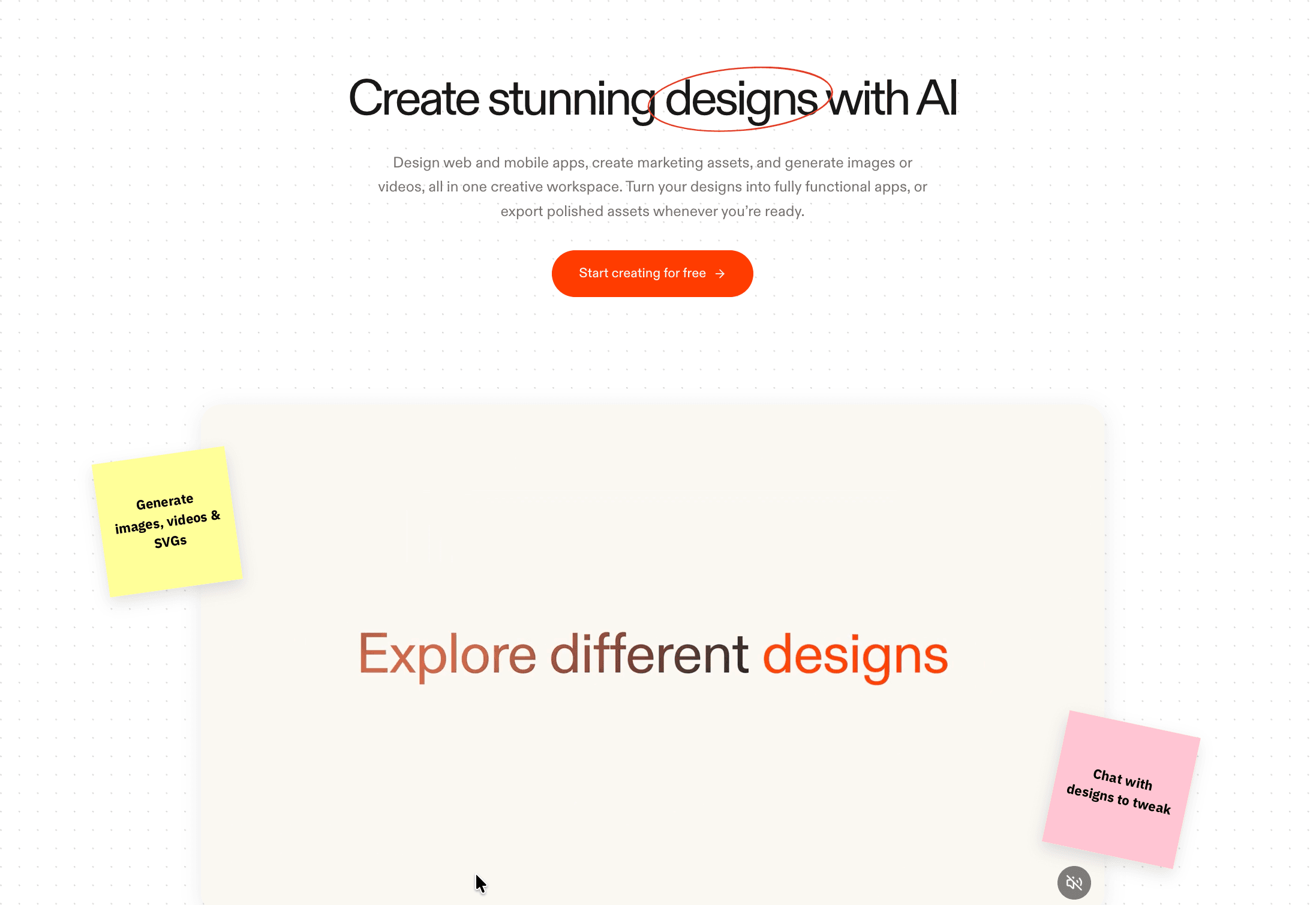
- Design Canvas. A visual workspace for exploring mockups, generating images, videos, and SVGs, and tweaking designs through chat before turning them into a functioning app.
- Importing. Existing projects can be brought in from GitHub, Bolt, Lovable, and Figma.
Replit supports over 50 programming languages, so once the Agent has built something, you still have full access to the underlying code for manual edits — a meaningful advantage for users with a coding background who want to refine what the AI produced.
Replit Pricing and Plans
Replit pricing pairs a flat subscription with a monthly bucket of usage credits. Credits are spent by the Agent based on how much work a task takes, and they also cover compute, deployments, and outbound data. When the included credits run out, the account switches to pay-as-you-go (what Replit calls effort-based pricing) unless you set spending controls. This is the single most important thing to understand before committing: two people on the same plan can spend very differently depending on how heavily they use the Agent.
There are four tiers. Starter is free and aimed at exploring the platform, with free daily Agent credits, a built-in database, and the ability to publish one project. Replit Core is the main individual plan, adding monthly credits, up to five collaborators, parallel agents, unlimited workspaces, and removal of the "Made with Replit" badge. Replit Pro targets small teams with a flat fee for up to 15 builders, pooled credits that roll over for a month, access to the most powerful models, and 28-day database rollbacks. Enterprise is custom and layers on security and administrative control. Yearly billing carries a discount, and a useful detail for triers: your very first prompt is free and consumes no credits.
| Plan | Price (monthly) | Price (yearly) | Monthly credits | Collaborators | Built for |
|---|---|---|---|---|---|
| Starter | Free | Free | Free daily Agent credits | — | Exploring and one published project |
| Replit Core | $25 | $18/mo | $25 (with Core) | Up to 5 | Personal projects and simple apps |
| Replit Pro | $100 | $90/mo | $100 | Up to 15 (+50 viewers) | Commercial and professional builds |
| Enterprise | Custom | Custom | Custom | Custom seat limits | Security, compliance, and scale |
A few plan differences are worth calling out. On Core, unused credits expire at the end of the cycle; on Pro, they roll over for one month. Pro also unlocks parallel work with up to 10 agents versus 2 on Core, and pooled credits across the team make the per-builder cost low for groups of five or more. Pro additionally supports larger credit packages for teams with intensive AI usage. For solo builders, Core is the natural entry point; teams of several people generally get better economics from Pro.
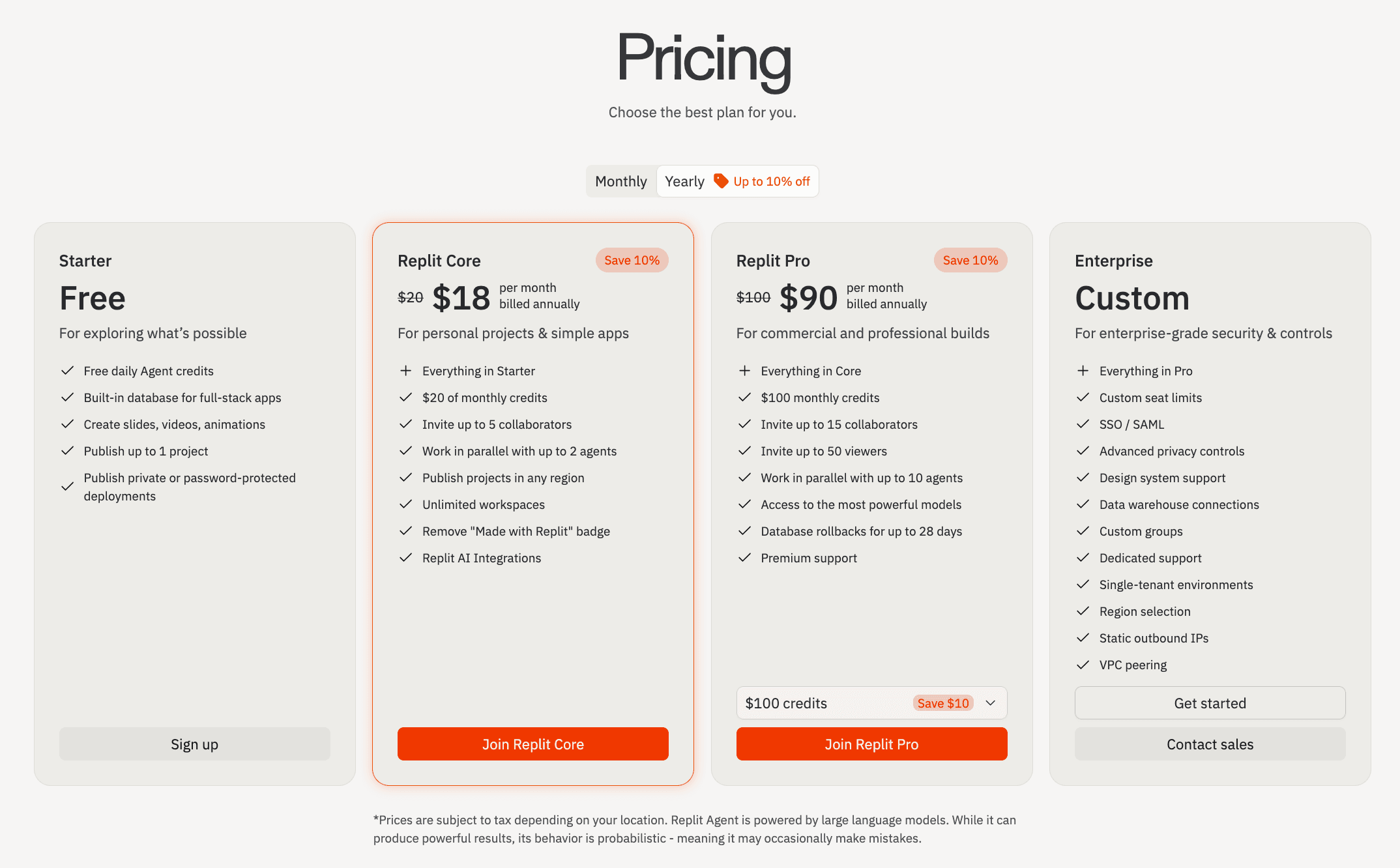
Enterprise is where the security and infrastructure controls concentrate: SSO/SAML, custom seat limits, advanced privacy controls, single-tenant environments, region selection, static outbound IPs, VPC peering, data warehouse connections, and dedicated support. These features are gated to that tier, so organizations with strict compliance needs should plan for Enterprise rather than expecting to retrofit later.
Integrations and API Connections
Integrations are one of Replit's strongest areas, and they work differently than in most builders. Through its Connectors system, the Agent gets authenticated access to external tools — it handles the OAuth or API-key flow, stores credentials securely, and can then read and write live data while building. The same connection powers your deployed app, so a payment flow or a Slack message in production runs through the same infrastructure you set up once.
The library is large and growing, spanning payments, productivity, data, and AI services. Commonly used connectors include Stripe, PayPal, Plaid, Shopify, Slack, Notion, Linear, Salesforce, HubSpot, Google Workspace, Microsoft 365, Airtable, Figma, and Zendesk. On the data side, Replit connects to BigQuery, Snowflake, and Databricks, letting business users build analytics dashboards on top of existing warehouses. For AI, the Agent can wire in OpenAI, Anthropic, Google, xAI (Grok), and Perplexity, with Replit AI Integrations providing managed access through a single interface.
| Integration area | Examples |
|---|---|
| Payments and finance | Stripe, PayPal, Plaid, Razorpay |
| Productivity and CRM | Slack, Notion, Linear, Salesforce, HubSpot, Zendesk |
| Data warehouses | BigQuery, Snowflake, Databricks |
| AI providers | OpenAI, Anthropic, Google, xAI, Perplexity |
| Commerce and design | Shopify, Figma, Airtable |
| Cloud and identity | Google Workspace, Microsoft 365 |
For anything outside the prebuilt list, Replit supports the Model Context Protocol (MCP) standard, so you can add a custom MCP endpoint and the Agent will discover and call its tools like any first-party connector. Enterprise customers can also configure custom OAuth apps. Connecting is done from the "Integrations" or "Connectors" panel inside a project: pick a service, authenticate once, and the Agent can use it for the rest of the session.
Platforms and Apps: Web, Mobile, and Desktop
Replit is primarily a web platform, and the full experience runs in any modern browser with nothing to install. That browser-first design is central to its appeal: collaborators can join a working environment instantly through a shared link.
For mobile, there are two distinct things worth separating. First, the official Replit mobile app for iOS and Android lets you build, prompt the Agent, and manage projects from a phone; it reached the top of the App Store's Developer Tools category with a 4.7 rating. Second, Replit can build mobile apps for you: React Native and Expo support means the Agent can produce full-stack iOS and Android apps, and you can preview them on a real device through Expo Go or a QR code. Several reviewers highlight the ability to convert an existing web app into a mobile app within the same project.
On desktop, Replit offers installable apps as a convenience wrapper around the same cloud workspace, so the underlying capabilities are consistent across web, desktop, and mobile rather than split into different feature sets. Because the heavy lifting happens in the cloud, a low-powered laptop or a phone can drive the same builds.
How to Get Started With Replit
Getting up and running takes only a few minutes, and you can build something before paying anything. Here's the sequence from sign up to first app.
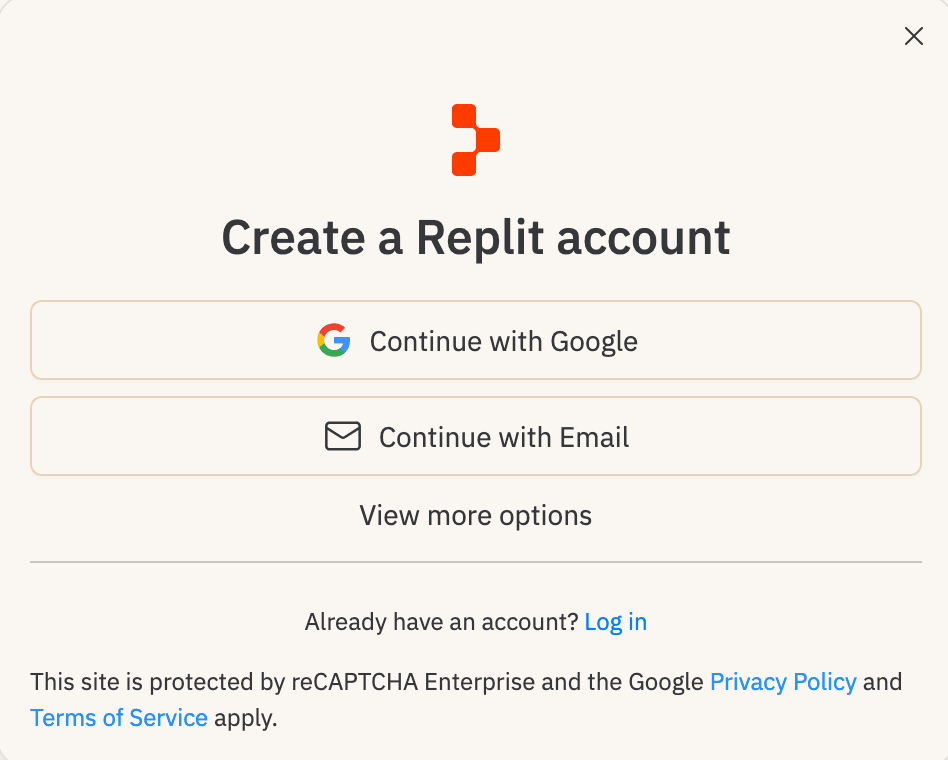
- Go to replit.com and choose "Create account" (or "Sign up" on the free Starter plan).
- Register with Google or with an email address; choose "View more options" if you prefer another method. The flow is protected by reCAPTCHA.
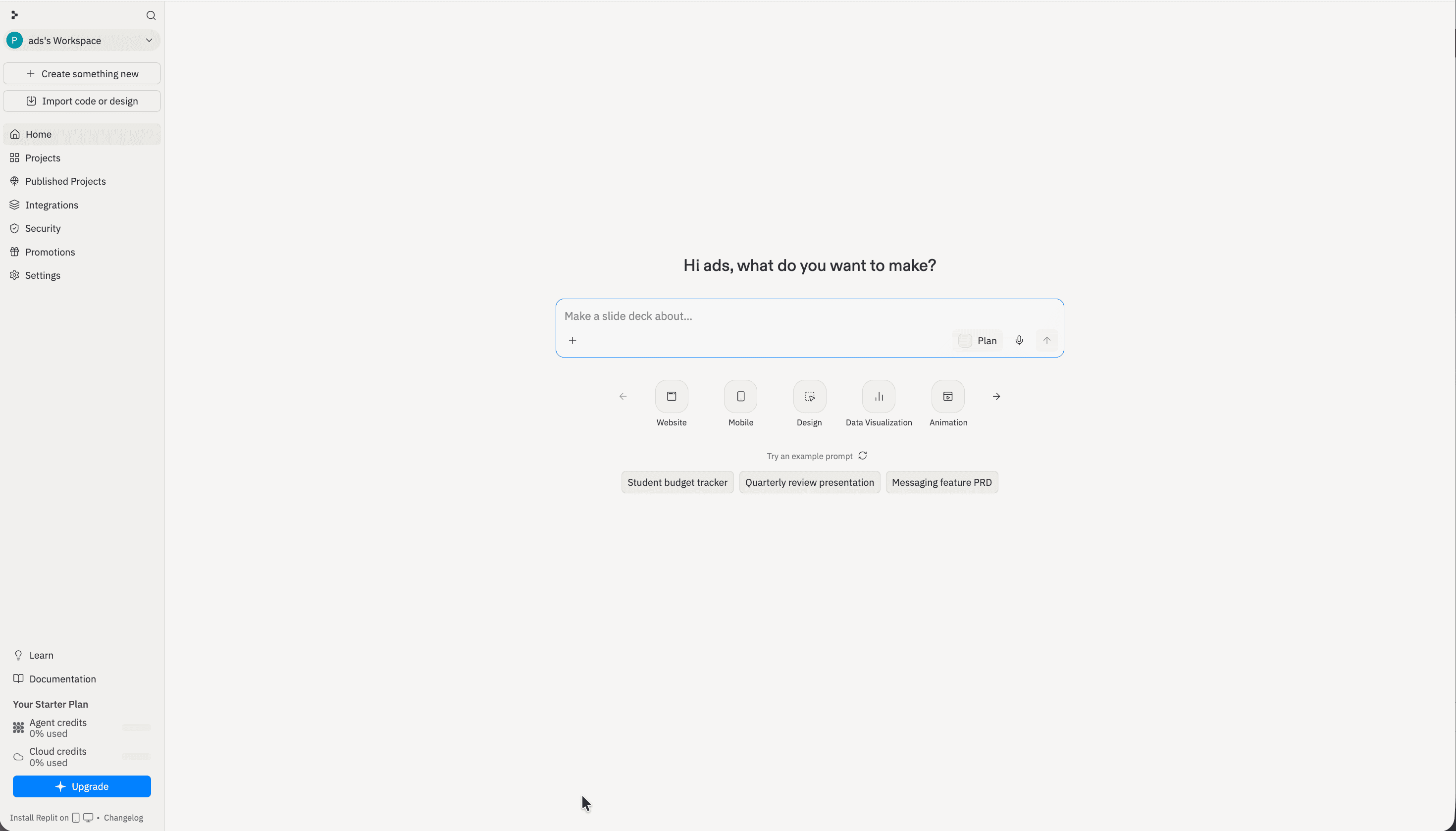
- Once your account is created, you land in your workspace, which greets you by name and shows a prompt box.
- Type what you want to build, or pick a project type such as Website, Mobile, Design, Slides, or Data Visualization. Your first prompt is free and uses no credits.
- Optionally turn on Plan mode to review the Agent's plan before it starts building.
- Let the Agent build, then refine the result by giving it feedback in plain language.
- When you're happy, publish the project in one step to get a live, shareable app.
A practical tip drawn from user experience: before publishing anything that will stay online, check the deployment type and set spending controls, since always-on deployments and heavy Agent use are what drive unexpected costs.
Support and Contact Options
Support tiers track your plan. Everyone can reach the documentation, the community forum, and email; private ticketed support and faster response times are reserved for paying subscribers, with Pro users prioritized ahead of Core. One limitation to set expectations around: official support handles billing, account, and platform issues, not hands-on debugging of your application code — for that, Replit points users to its learning resources and community.
| Channel | Availability | Notes |
|---|---|---|
| All users | support@replit.com for account and billing | |
| In-app "Get Help" | Core and Pro | Private tickets; Pro prioritized over Core |
| Premium support hours | Core and Pro | Staffed Mon–Fri, 6am–6pm PT |
| Community forum | All users | Peer help and resources at ask.replit.com |
| Documentation | All users | Guides and technical docs at docs.replit.com |
| Status page | All users | Live system status and incident history |
| X / social | All users | Updates and informal help via @ReplitSupport |
Resolution times vary with the complexity of the issue, and some users have reported slow responses, so the self-service documentation and community forum are often the fastest route for common questions.
Replit Pros and Cons
Pros
- +Go from idea to working full-stack app fast, in the browser.
- +Zero setup; start coding instantly from any device.
- +Agent 3 builds, tests, and fixes its own code autonomously.
- + Built-in database, deployment, secrets, and one-click hosting.
- +Great for non-coders, prototyping, and real-time collaboration.
- +Checkpoint/rollback system and 50+ language support.
Cons
- –Annual plans issue credits monthly, not as a pool.
Frequently Asked Questions
What is Replit?
Replit is a cloud-based platform where you build and deploy full-stack web and mobile apps by describing them in plain language. An AI agent writes the code, configures the database, tests the app, and deploys it, all inside a browser with no local setup.
Is Replit safe to use?
The platform holds SOC 2 Type II attestation, encrypts data in transit with TLS and at rest with AES-256, isolates each customer in its own Google Cloud project, and stores credentials in a dedicated Secrets manager. On the free plan, projects are public by default, so use a paid plan for private work.
Is there a free version?
Yes. The Starter plan is free, with daily Agent credits, a built-in database, and the ability to publish one project. Your first prompt is also free and consumes no credits, so you can try the Agent before subscribing.
How much does Replit Core cost?
Core is $25 per month, with a discounted annual rate. It includes monthly usage credits, up to five collaborators, unlimited workspaces, and removal of the "Made with Replit" badge.
Why do bills sometimes exceed the subscription price?
Replit uses credit-based, effort-based pricing. Once your included monthly credits are used up, additional Agent activity, compute, and always-on deployments are billed as pay-as-you-go. Setting spending controls and checking your deployment type helps keep costs predictable.
Can the platform build mobile apps?
Yes. With React Native and Expo support, the Agent can build full-stack iOS and Android apps, and you can preview them on a real device. There's also an official Replit mobile app for building and managing projects from your phone.
What can connect to a Replit app?
Hundreds of services connect through Replit's Connectors, including Stripe, Slack, Notion, Salesforce, BigQuery, Snowflake, and AI providers like OpenAI and Anthropic. Custom tools can be added through the MCP standard.
Who is Replit best for?
It fits non-technical founders and product teams who want working prototypes fast, and developers who want quick full-stack builds without environment setup. Solo builders usually start on Core, while teams of several people get better value from Pro.