
Notion Review 2026: The Connected AI Workspace
What Notion Is and Who It's For
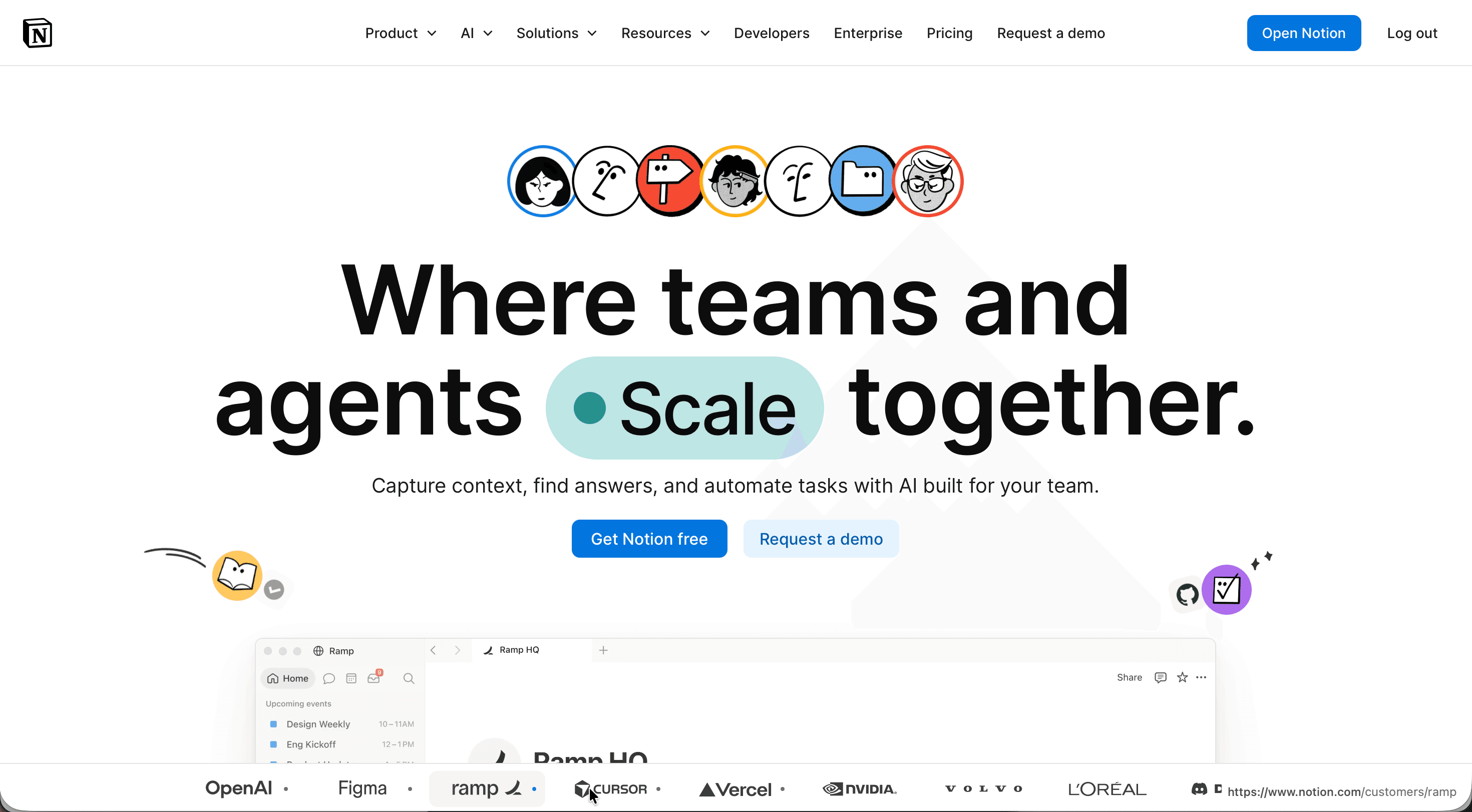
Notion is an all-in-one workspace that combines notes, documents, wikis, databases, project management, and AI into a single tool, built by Notion Labs, Inc. Rather than running separate apps for tasks, knowledge bases, and team docs, you assemble everything from modular "blocks" on flexible pages, which is why the founders describe the product as "Lego for software." This Notion review examines how that flexibility holds up across pricing, security, day-to-day features, and team use.
The product suits a wide range of people. Individuals use it as a "second brain" for personal notes and planning, students build study systems, and startups and growing companies run documentation, roadmaps, and internal wikis on it. By 2026, Notion had passed 100 million users, and more than half of Fortune 500 companies use it, including names like OpenAI, Figma, Volvo, Ramp, and Cursor. What sets it apart is the degree of customization: you can build a CRM, an editorial calendar, a project tracker, or a company handbook on the same underlying system, and an AI layer now sits across all of it to answer questions and automate work.
Here is a snapshot of the essentials before the detailed breakdown.
| Key data | Detail |
|---|---|
| Website | notion.com |
| Developer | Notion Labs, Inc. (San Francisco) |
| Launched | 2016 (Notion 1.0); company founded 2013 |
| Platforms | Web, Windows, macOS, iOS, Android (no native Linux app) |
| Free plan | Yes, free forever; no card required |
| Free trial | Limited Notion AI trial on Free and Plus |
| Main purpose | All-in-one workspace for notes, docs, databases, projects, and AI |
Is Notion Safe and Legit?
Notion is a legitimate, well-established company. Notion Labs was founded in 2013 by Ivan Zhao alongside several co-founders including Simon Last, and after a near-failure that famously sent the founding team to Kyoto to rebuild the product, it relaunched as Notion 1.0 in 2016. The company reached a $10 billion valuation in 2021 and has raised over $340 million from investors including Sequoia Capital, Index Ventures, and Greylock Partners. Ivan Zhao remains CEO, with Akshay Kothari as COO.
On the security side, Notion maintains a broad set of independently audited certifications. It holds SOC 2 Type 2 (renewed annually), SOC 3, and four ISO standards: ISO 27001, ISO 27701, ISO 27017, and ISO 27018. It is GDPR and CCPA compliant with an appointed Data Protection Officer, supports HIPAA compliance for healthcare data on Enterprise plans with a signed Business Associate Agreement, and meets PCI DSS Merchant Level 2 requirements as well as the German BSI C5 standard. Data is encrypted at rest with AES-256 and in transit using TLS 1.2 or higher, infrastructure runs on AWS with daily encrypted backups, and Notion operates a public bug bounty program.
| Security parameter | Detail |
|---|---|
| Encryption | AES-256 at rest, TLS 1.2+ in transit |
| Certifications | SOC 2 Type 2, SOC 3, ISO 27001/27701/27017/27018, BSI C5, PCI DSS L2 |
| Privacy compliance | GDPR (with DPO), CCPA, HIPAA (Enterprise + BAA) |
| Hosting | Amazon Web Services, daily encrypted backups |
| AI data handling | Not used to train models by default; zero data retention with LLM providers on Enterprise |
| Account protection | Two-step verification (2FA/MFA), SAML SSO and SCIM on higher tiers |
One important nuance: Notion does not use end-to-end encryption, which means your content is technically accessible to Notion under limited, controlled circumstances such as troubleshooting. For most business and personal data this is the standard cloud model, but teams in tightly regulated sectors should weigh it against their requirements. By default, neither Notion nor its AI subprocessors use your content to train models, and on Enterprise plans the LLM providers operate under zero data retention. User reputation reinforces the picture of a trustworthy product: Notion holds a 4.6 out of 5 rating across roughly 11,900 reviews on G2, with the strongest praise going to flexibility and consolidation of tools.
Notion Features That Actually Matter
Everything in Notion is built from blocks, the individual pieces of content, text, to-dos, images, code, embeds, that you stack on a page. Pages can nest inside other pages, and any page can become a database. This is the foundation that lets the same tool serve as a notes app, a wiki, and a project tracker. Databases are the standout capability: they support multiple views (table, board, calendar, timeline, gallery), custom properties and filters, subtasks and dependencies, relations between databases, and a formula system that reviewers compare to spreadsheets in depth.
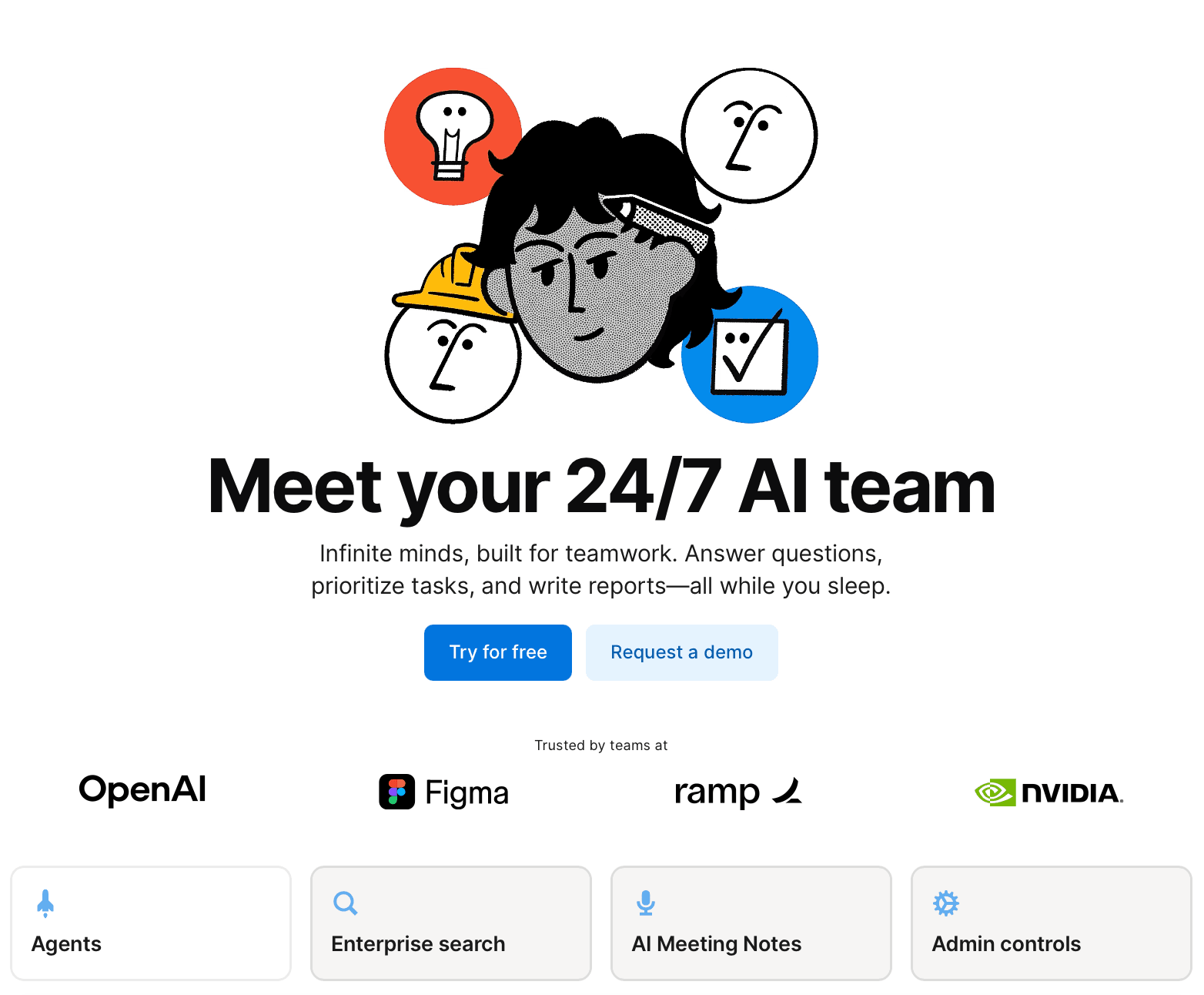
The AI layer is now central to the product. Notion AI Core handles chat, document generation, autofill, and translation. On top of that sit several distinct tools: AI Meeting Notes transcribes and summarizes meetings automatically, Enterprise Search pulls answers from across connected apps like Slack, GitHub, and Microsoft Teams, Research mode produces detailed reports using workspace content and the web, and the Notion Agent completes multi-step tasks using context from your workspace and connected apps. Custom Agents take this further, handling repetitive work autonomously on a metered credit model. Beyond AI, the platform includes forms for collecting responses directly into databases, charts and dashboards for visualizing data, web publishing that turns any page into a public site, and document verification that adds a trusted badge to up-to-date pages.
The trade-off behind all this capability is a real learning curve. Reviewers consistently note that the blank-page flexibility can overwhelm newcomers, and teams that invest two to three weeks structuring their workspace report far higher satisfaction than those who dive in without a plan. Power users also flag that very large databases and heavily nested pages can slow down, and that search does not always surface what you expect.
Notion Pricing and Plans
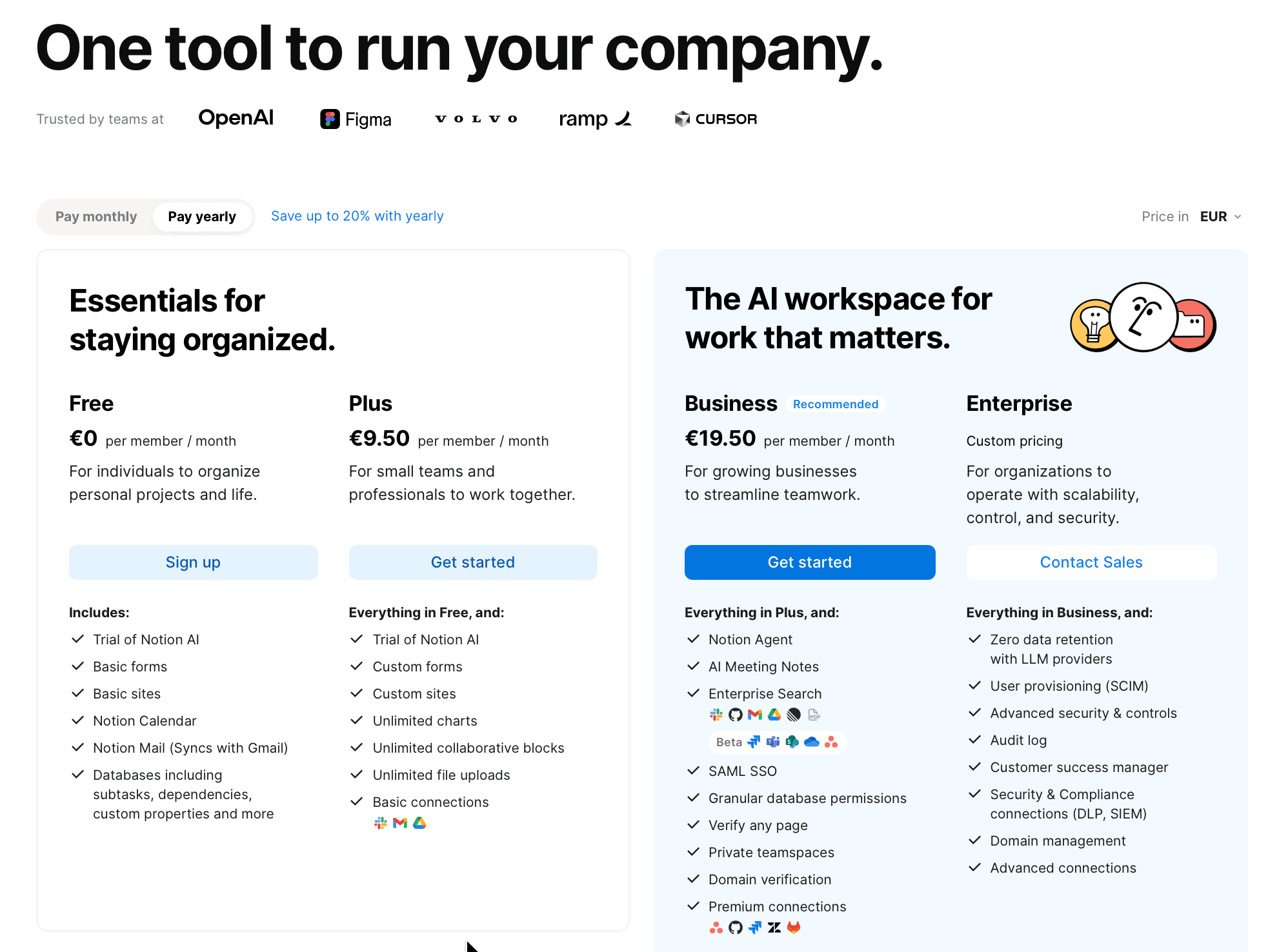
Notion uses per-member pricing with a genuinely usable free tier and three paid plans. Pricing is shown in your local currency; the figures below reflect annual billing, where Notion offers up to roughly 20% savings versus monthly. The most significant recent change is to AI: the standalone AI add-on was discontinued, and full Notion AI now lives in the Business plan, so teams that specifically want the complete AI feature set need Business at minimum rather than Plus plus an add-on.
| Plan | Price (annual) | Best for | Key inclusions |
|---|---|---|---|
| Free | €0 / $0 per member/month | Individuals, personal projects | Unlimited pages and blocks for solo use, basic forms and sites, Notion Calendar, Notion Mail, databases, 5 MB file uploads, 7-day page history, 10 guests, AI trial |
| Plus | €9.50 / $10 per member/month | Small teams and professionals | Everything in Free, plus unlimited blocks for teams, unlimited file uploads, 30-day page history, 100 guests, custom forms and sites, unlimited charts, basic connections |
| Business | €19.50 / $20 per member/month | Growing businesses needing AI and security | Everything in Plus, plus full Notion AI (Agent, AI Meeting Notes, Enterprise Search), SAML SSO, private teamspaces, granular database permissions, 90-day history, page verification, premium connections |
| Enterprise | Custom pricing | Larger organizations, compliance needs | Everything in Business, plus zero data retention with LLM providers, SCIM provisioning, audit log, advanced security controls, workspace analytics, customer success manager, DLP/SIEM connections, unlimited page history |
A few details round out the picture. The Free plan stays fully functional indefinitely with no credit card required, though solo users get unlimited blocks while multi-member free workspaces hit a block ceiling. Students and educators get the Plus plan free (one-member limit) with a qualifying school email. For AI-heavy automation, Custom Agents run on credits priced at $10 per 1,000 Notion credits on top of the plan. Guests are free and don't consume paid seats. One practical caution echoed across user reviews: adding members to an annual plan triggers prorated charges, and the refund window is limited (three days for monthly, 30 days for annual), so confirm seat changes before adding people.
Integrations and API
Notion connects to other tools through native connections, an official integration gallery of over 100 apps, and automation platforms. Native connections cover the most-used services directly, while the public API lets developers build custom integrations, and platforms like Zapier and Make bridge Notion to thousands of additional apps through trigger-based workflows. Integration access is not gated behind higher plans, even the Free tier can use connections, though enterprise-only features like SSO require paid tiers.
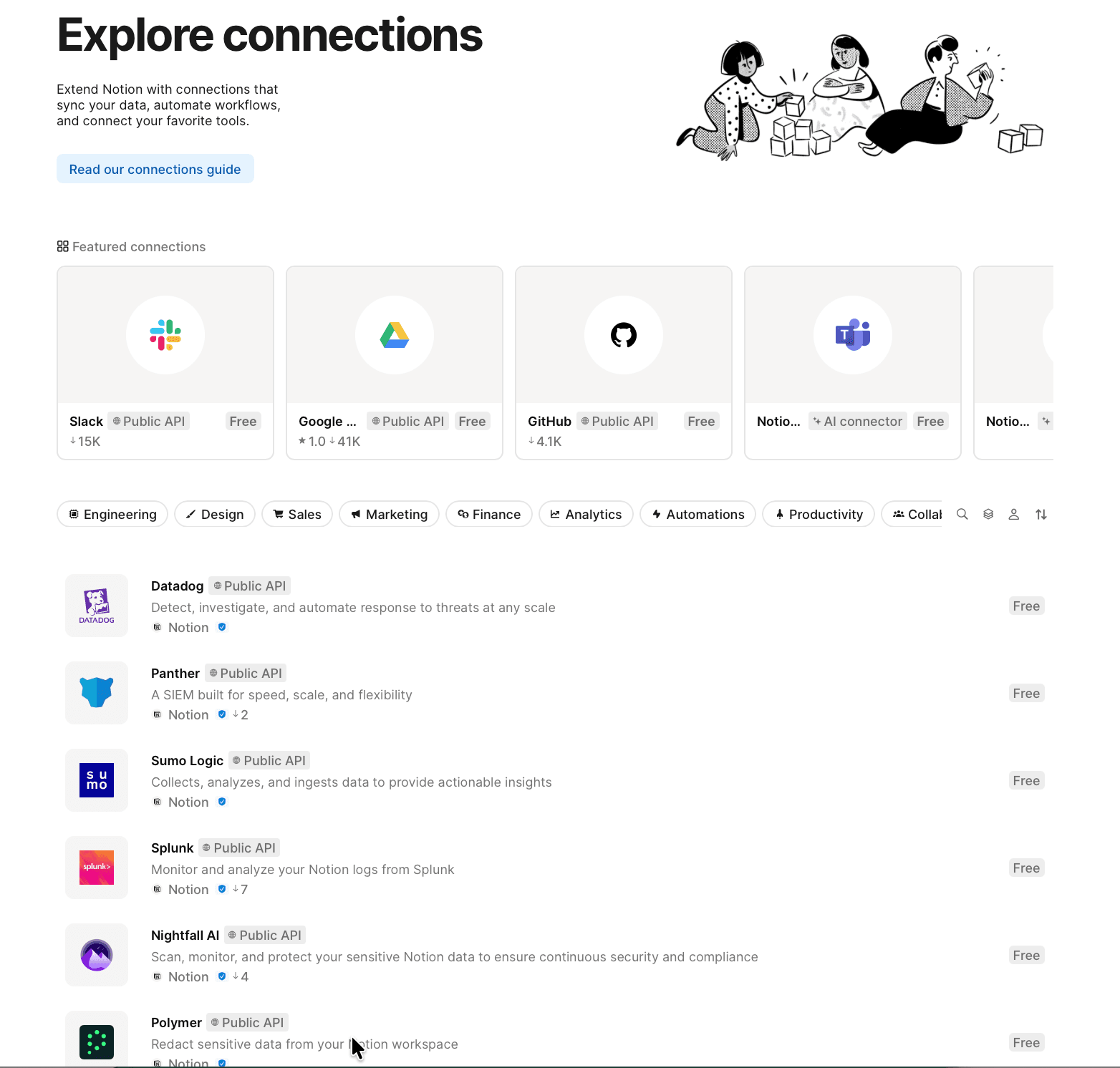
The connections fall into a few practical groups, summarized below.
| Category | Examples | Notes |
|---|---|---|
| Communication | Slack, Microsoft Teams | Send updates between Notion and channels; Slack feeds Enterprise Search |
| Development | GitHub, Jira | Link previews and one-way database syncs for issues and PRs |
| Files and storage | Google Drive, Box, OneDrive, Dropbox | Surface and reference external files |
| Productivity and CRM | Google Calendar, Asana, Trello, Salesforce, HubSpot | Native links plus Zapier/Make automations |
| Forms and design | Typeform, Figma, Canva, Calendly | Sync responses and embed live previews |
| Automation | Zapier, Make | Connect to 8,000+ apps without code |
For developers, Notion offers a public API with webhooks for real-time updates, plus newer tools including a CLI, Workers (beta) for running custom code, and a Model Context Protocol (MCP) server that lets AI tools securely reference and update Notion content. One limitation worth noting from team reviews: some native integrations are relatively shallow, and there is no deep native Google Workspace or non-Gmail email integration, so tightly coupled tool stacks may lean on Zapier or Make.
Platforms and Apps
Notion runs on the web and as dedicated apps for Windows, macOS, iOS, and Android. There is no native Linux app, and Notion has said it has no immediate plans for one; Linux users access the workspace through Chrome, Firefox, or Safari instead. The desktop app adds conveniences like multi-tab browsing and a command search you can trigger from the menu bar or taskbar without bringing the app to the foreground.
Offline support arrived with version 2.53 in August 2025, a long-requested feature. You can download any page for offline use and even create new pages while disconnected, with changes syncing automatically on reconnect. On Plus, Business, and Enterprise plans, recent and favorited pages auto-download. There are limits: offline access works only in the desktop and mobile apps (not the browser), downloads are device-specific and don't pull in subpages automatically, databases save only the first 50 rows by default, and features like embeds, AI blocks, forms, and real-time collaboration need a connection. Reviewers also report that the mobile app, while capable, can feel slower and less full-featured than desktop for heavy database work.
How to Get Started with Notion
Creating an account and getting into your first workspace takes only a few minutes.
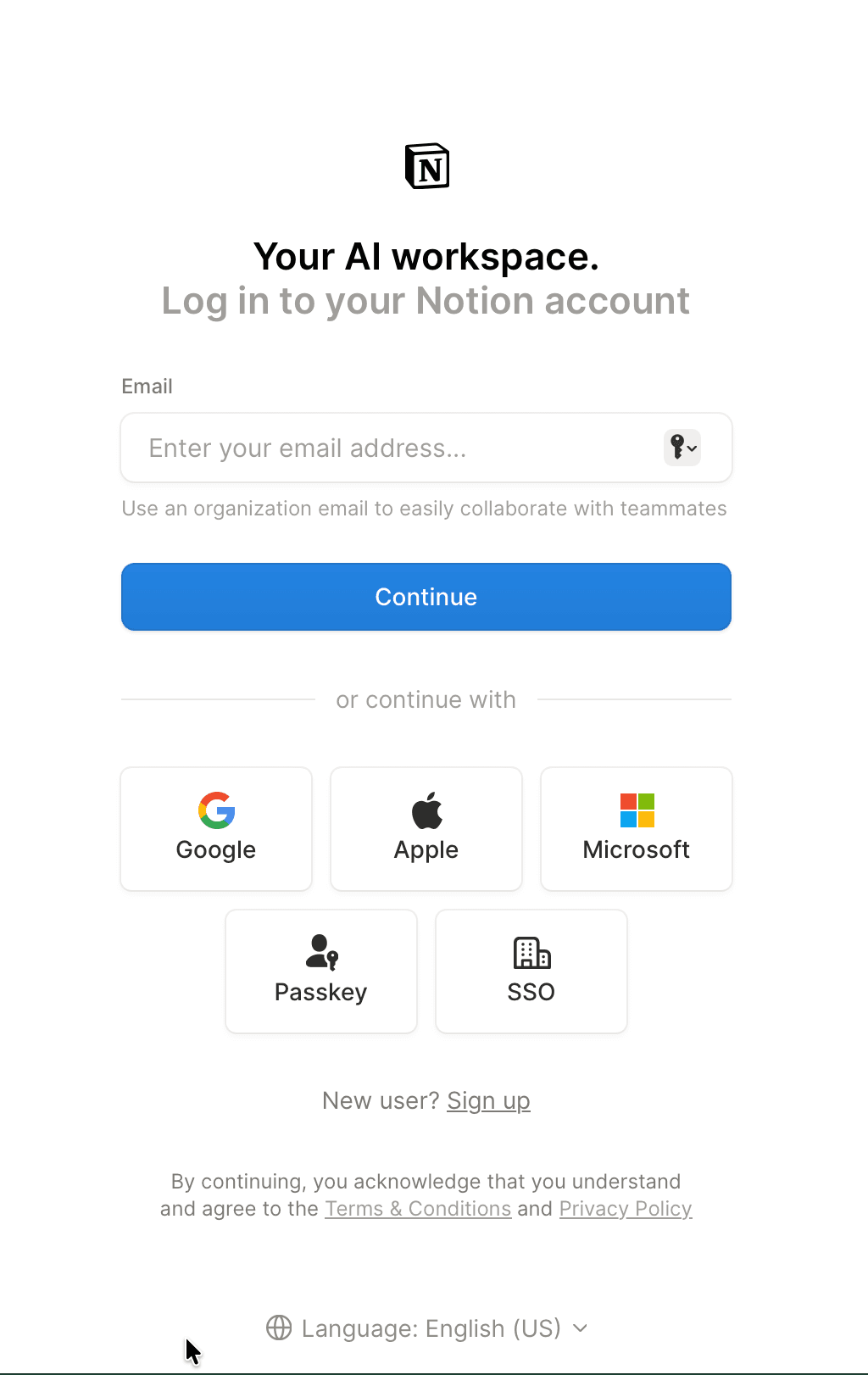
- Go to notion.com and select "Get Notion free," or open the login page if you already have an account.
- Enter an organization email to make team collaboration easier, then select "Continue." You can also sign up with Google, Apple, or Microsoft, or use a passkey or SSO.
- Verify your email or complete the chosen sign-in method.
- Answer the short onboarding prompts about how you plan to use Notion so it can suggest a relevant starting setup.
- Download the desktop and mobile apps from notion.com/desktop and the app stores to access your workspace everywhere, including offline.
- Start from a template in the gallery or a blank page, then invite teammates or guests from "Settings & members."
Support and Contact Options
Notion's support is mostly self-service backed by direct channels, with the level of attention scaling by plan. Here is how to reach help and what to expect.
| Channel | Details |
|---|---|
| In-app help | The "?" button (desktop) or "Help & support" (mobile) opens help and contact options |
| Billing and refund requests handled via in-app contact or email to Notion support | |
| Help center | Extensive articles, guides, and FAQs at notion.com/help |
| Community and learning | Notion Academy, webinars, product demos, and a large user community |
| Priority and premium support | Faster, around-the-clock support on Business; custom premium support on Enterprise |
| Customer success manager | Dedicated CSM on Enterprise (and custom arrangements) |
| Social | Active presence on X, LinkedIn, Instagram, Facebook, and YouTube |
User experiences with support are mixed. The documentation, tutorials, and community resources earn consistent praise, but some reviewers report slow replies and frustration with billing disputes, which is the most common complaint across review platforms.
Notion Pros and Cons
Pros
- +Combines notes, docs, databases, and tasks in one place.
- +Highly flexible and customizable to fit any workflow.
- +Great for collaboration and sharing with teams.
- +Free plan is generous.
Cons
- –Can feel overwhelming due to too many options.
- –Steep learning curve for advanced features.
Frequently Asked Questions
Is Notion free to use?
Yes. The Free plan is free forever with no credit card required, and it's genuinely useful for individuals, offering unlimited pages and blocks for solo use, basic forms and sites, Notion Calendar, and a limited AI trial. Paid plans start at €9.50/$10 per member per month on annual billing.
Is the platform safe for sensitive business data?
It maintains SOC 2 Type 2, multiple ISO certifications, GDPR and CCPA compliance, and HIPAA support on Enterprise, with AES-256 encryption at rest and TLS in transit. The main caveat is the absence of end-to-end encryption, so highly regulated teams should review that against their policies.
Does Notion work offline?
Yes, since August 2025. You can download pages for offline use and create new ones in the desktop and mobile apps, with automatic sync on reconnect. Offline access doesn't work in the web browser, and some features like AI blocks, embeds, and forms require a connection.
What's the difference between Plus and Business?
Plus unlocks unlimited team blocks, unlimited uploads, 30-day history, and 100 guests. Business adds full Notion AI (including the Agent, AI Meeting Notes, and Enterprise Search), SAML SSO, private teamspaces, granular permissions, and 90-day history. Full AI is the headline reason teams move up to Business.
Can I use the app on Linux?
There's no native Linux app, and none is planned. Linux users can run the full workspace in a Chrome, Firefox, or Safari browser.
How does the AI handle my data?
By default, Notion and its AI subprocessors do not use your content to train models, backed by contractual agreements with providers like OpenAI and Anthropic. Enterprise workspaces get zero data retention with LLM providers.
Which integrations are available?
Over 100 native connections plus thousands more via Zapier and Make. Popular options include Slack, Google Drive, Google Calendar, GitHub, Jira, Asana, Trello, Salesforce, Figma, and Typeform, and a public API supports custom builds.
How do I cancel or get a refund?
Subscriptions auto-renew until canceled in "Settings → Billing → Change plan." Refunds are available within three days of monthly signup or 30 days of annual signup; EU and UK customers may have extended statutory refund rights.