
1Password Review: A Complete Look at the Password Manager and Access Platform
What 1Password Is and Who It's For
1Password is a password manager and credential security platform developed by the Canadian company AgileBits, which built the first version back in 2005. At its core, it stores logins, passkeys, credit cards, secure notes, and other sensitive data inside encrypted vaults that you unlock with a single account password. Over the past few years it has grown well beyond personal password storage into a broader access management product used by individuals, families, small teams, and large enterprises alike. As of 2026 it protects more than 1.3 billion credentials and secrets and is used by over 180,000 businesses, including Figma, Notion, Salesforce, Stripe, and GitHub.
The appeal is simple: instead of reusing weak passwords or scattering them across browsers and notes, you keep everything in one secure place and let the app generate, save, and autofill strong credentials for you. What sets it apart from many rivals is a second secret used in encryption, a polished experience across every major platform, and features aimed at travelers, families, developers, and IT teams.
This 1Password review walks through the security model, the full feature set, pricing for every plan, integrations, platform availability, how to get started, and support, so you can decide whether it fits your situation.
| Key data | Details |
|---|---|
| Website | 1password.com |
| Developer | AgileBits Inc. (Toronto, Canada) |
| First released | 2006 (company founded 2005) |
| Supported platforms | macOS, Windows, Linux, iOS, Android, Apple Watch, web, plus browser extensions |
| Free plan | No free tier; 14-day free trial on all plans |
| Main purpose | Password management and secure credential and access management |
Is 1Password Safe and Trustworthy
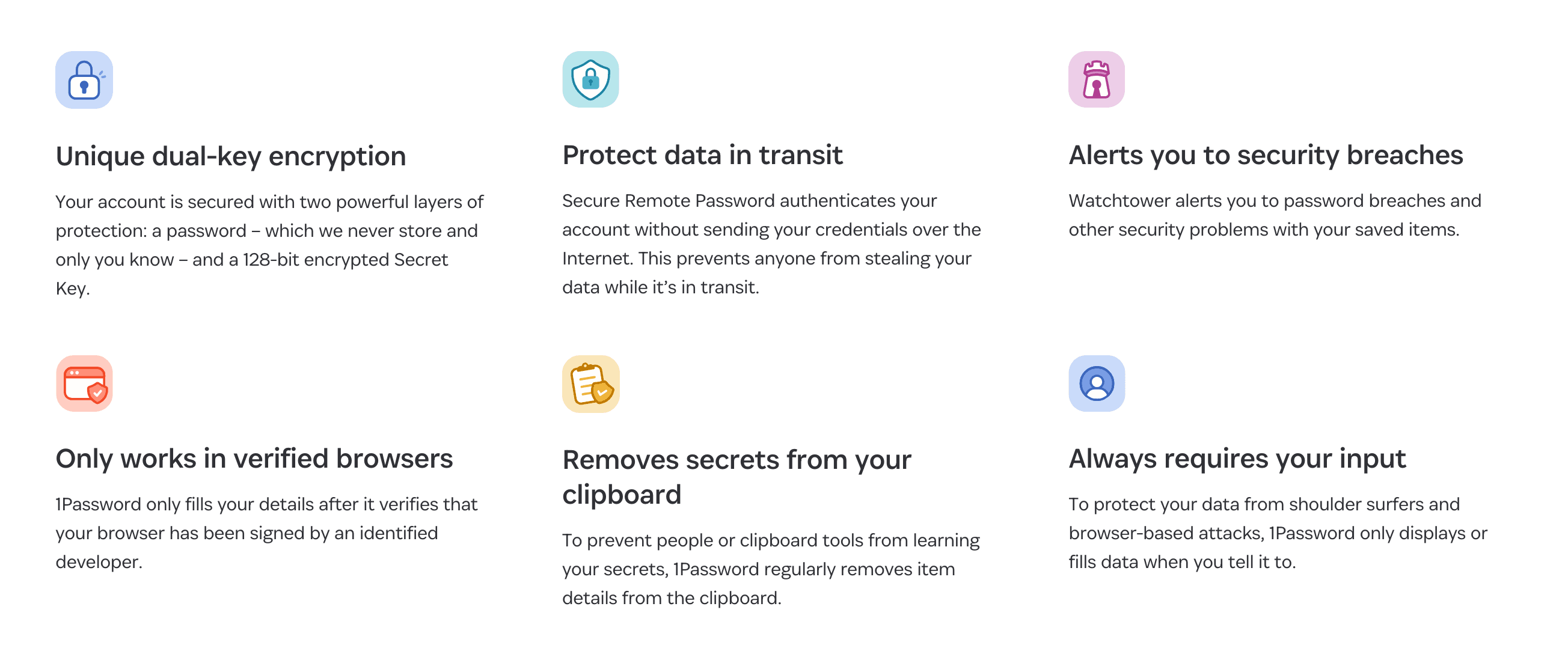
1Password is built around an end-to-end encryption model where your data is encrypted and decrypted only on your devices, which means even AgileBits cannot read what you store. Two separate values protect your account: your account password, which is never stored or transmitted, and a 128-bit Secret Key generated locally on your device. Combining the two makes it practically impossible to brute-force an account even if the password is weak, and it's a design choice few competitors match. Stored data uses AES-256 encryption, with PBKDF2 strengthening applied to the account password.
Several smart protections reduce your exposure beyond raw encryption. The Secure Remote Password protocol authenticates you without sending your password over the internet, so it can't be intercepted in transit. The apps clear copied secrets from your clipboard automatically, only fill credentials on the exact sites where they were saved as a defense against phishing, and validate that your browser was signed by an identified developer before filling anything. Nothing is displayed or filled without your explicit action.
On the compliance side, the track record is strong. 1Password holds SOC 2 Type 2 certification, with unqualified opinions in its evaluations since 2018, and ISO 27001:2022, 27017:2015, 27018:2019, and 27701:2019 certifications covering information security, cloud security, and privacy. Its trust documentation also references PCI DSS, GDPR, CCPA, CSA STAR, and TX-RAMP, and the company runs a public bug bounty program through HackerOne. Independent reviewers consistently note that 1Password has no history of a user data breach. Reputation among users is high as well: it carries a TrustScore around 4.7 on Trustpilot across thousands of reviews and a 4.6 rating on G2, with security and reliability among the most praised qualities.
| Security parameter | What 1Password provides |
|---|---|
| Encryption | AES-256, end-to-end, decrypted only on your devices |
| Account protection | Account password plus a 128-bit Secret Key (dual-key model) |
| Authentication | Secure Remote Password (SRP); biometric and system unlock options |
| Certifications | SOC 2 Type 2; ISO 27001, 27017, 27018, 27701; HIPAA-aligned |
| Breach monitoring | Watchtower, integrated with Have I Been Pwned |
| Independent testing | Regular third-party audits; HackerOne bug bounty |
| Breach history | No known breach of user vault data |
Core Features Worth Knowing
The day-to-day strength of 1Password is how invisibly it handles credentials. A built-in generator creates strong, unique passwords whenever you sign up or change a login, and autofill enters usernames, passwords, two-factor codes, addresses, and payment cards across browsers and apps. The same app can act as an authenticator, generating time-based 2FA codes so you don't need a separate app, and it increasingly supports passkeys, letting you create and sign in with passwordless credentials on supported sites.
Watchtower is one of the features users single out most. It scans your saved items and flags weak, reused, and compromised passwords, alerts you when a site you use has appeared in a breach (drawing on Have I Been Pwned), and points out accounts where you could enable two-factor authentication or upgrade to a passkey. Travel Mode is another distinctive tool: you tag which vaults are safe for travel, and the rest are removed from your device entirely until you turn the mode off, so a border inspection of an unlocked device reveals nothing sensitive.
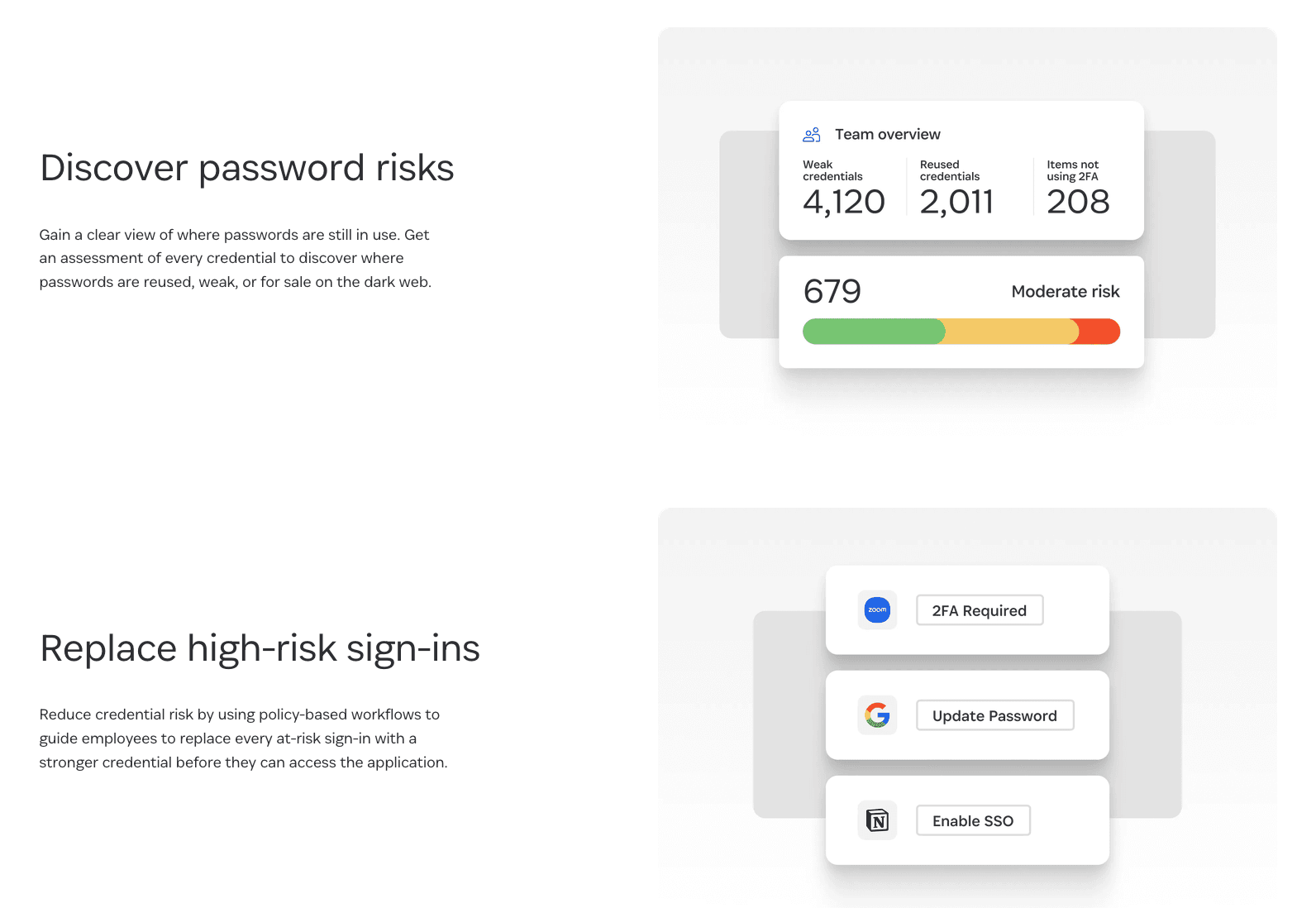
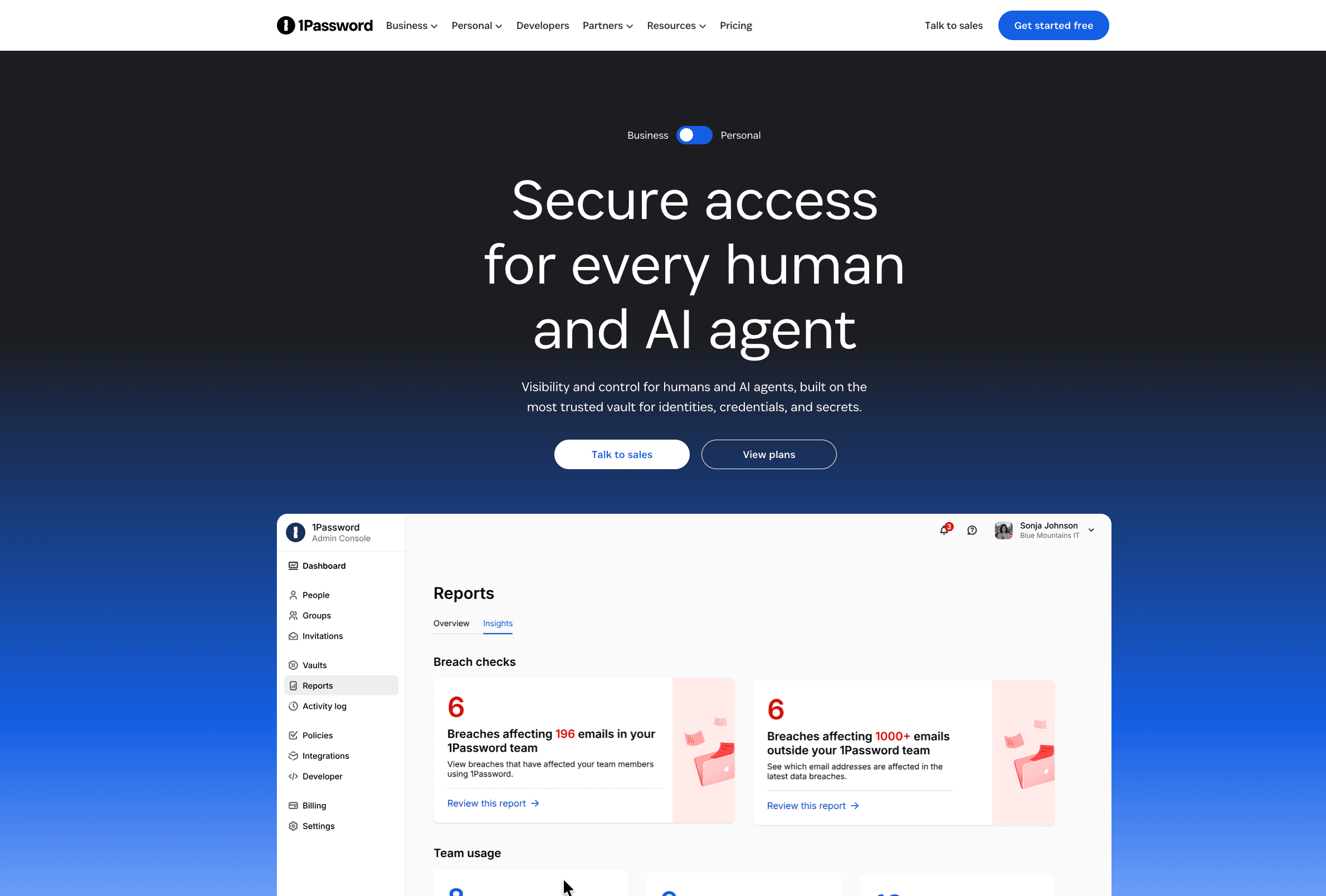
Beyond passwords, you can store and autofill a wide range of item types: secure notes, identities, software licenses, bank accounts, SSH keys, and API tokens. Vaults let you organize and group items, and secure sharing works in two ways: shared vaults for ongoing access among family or coworkers, and expiring links that let you send an item to anyone, even someone without a 1Password account. For organizations, an admin console adds real-time usage monitoring, permission management, custom password policies, and Watchtower dashboards across the whole team.
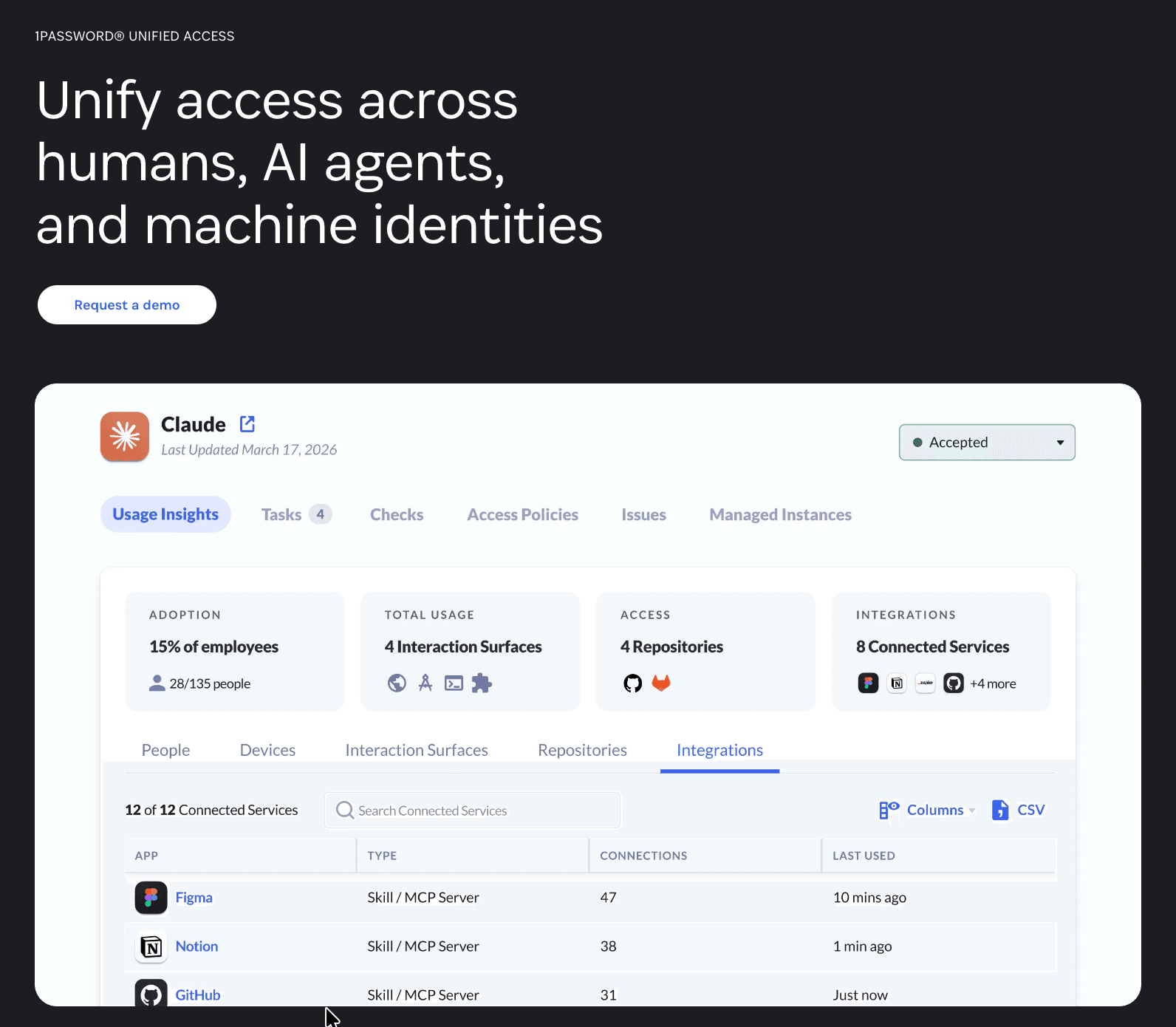
A notable 2026 development is Unified Access, a platform extending 1Password's vault to cover not just people but AI agents and machine identities. It lets organizations discover, secure, and audit how credentials are used across browsers, devices, and automated workflows, with launch collaborations spanning Anthropic, OpenAI, Cursor, GitHub, Perplexity, and Vercel. For most individual users this won't change daily use, but it signals where the product is heading.
1Password Pricing and Plans
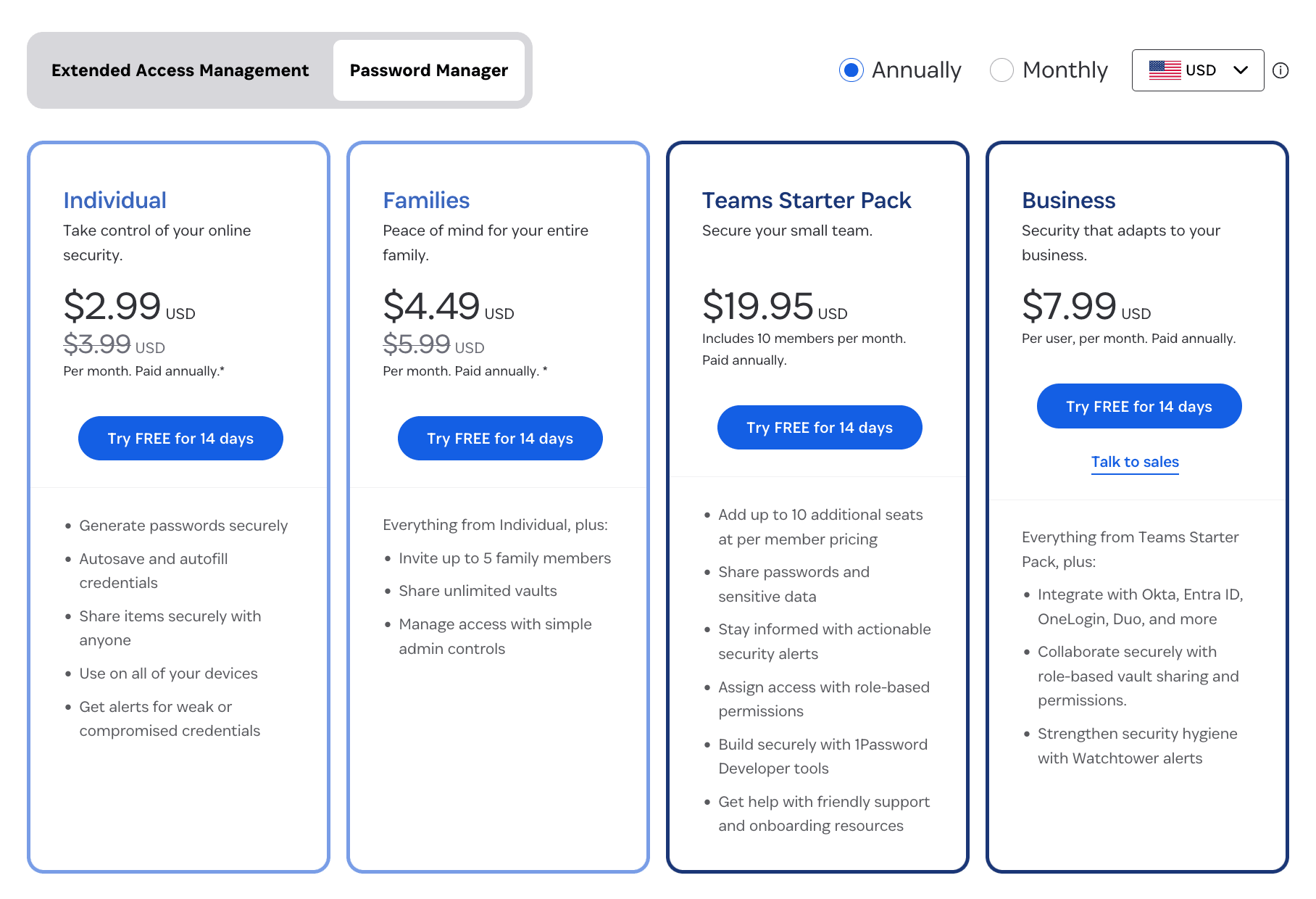
1Password does not offer a free tier, but every plan includes a 14-day free trial with no payment details required up front. There are four main consumer and small-business plans, plus a custom Enterprise tier for large organizations. Consumer pricing rose on March 27, 2026, the first increase in years; the figures below reflect current annual rates, which save roughly 25% over monthly billing.
A point worth flagging on cost: 1Password sits at the premium end of the market, and budget-focused rivals like Bitwarden and NordPass undercut it. The trade-off most reviewers describe is paying a little more for polish, cross-platform consistency, and extras like Travel Mode and the Secret Key. One genuinely strong value is that every Business seat includes a free Families plan for that employee's personal use.
| Plan | Price (annual billing) | Covers | Key inclusions |
|---|---|---|---|
| Individual | $2.99/mo ($35.88–$47.88/yr) | 1 person, unlimited devices | Password generator, autofill, Watchtower, Travel Mode, 1GB document storage, unlimited items |
| Families | $4.49–$5.99/mo ($71.88/yr) | Up to 5 members | Everything in Individual, plus shared vaults, member management, simple admin controls; additional members can be added |
| Teams Starter Pack | $19.95/mo flat ($239.40/yr) | Up to 10 users (flat rate) | Shared vaults, role-based permissions, security alerts, developer tools, guest accounts, 24/7 email support |
| Business | $7.99/user/mo ($95.88/yr per user) | Any team size | Everything in Teams, plus SSO, SCIM provisioning, custom groups, advanced reports, SIEM streaming, and a free Families plan per user |
| Enterprise | Custom (contact sales) | 100+ users | Dedicated account management, custom contract terms, advanced SSO/SCIM configuration |
A few details affect total cost. The Teams Starter Pack is a flat $19.95/month for up to ten people, which makes it the cheapest option for very small teams, but going past ten users moves you to per-user Business pricing. Business and Enterprise pricing was not affected by the 2026 consumer increase. In the EU, subscriptions set to renew at the new rate require active opt-in or they cancel, while North American plans auto-renew. Nonprofits, educational institutions, and journalists can contact 1Password about special pricing.
Integrations and Compatibility
For everyday users, the most important "integration" is the browser. The extension works with Chrome, Firefox, Edge, Safari, and Brave, autofilling and saving credentials, 2FA codes, and payment details without opening the main app. Watchtower data feeds in from Have I Been Pwned, and import tools make it straightforward to migrate from another password manager or from your browser via CSV.
For businesses, 1Password connects to identity providers for single sign-on and automated user management. Unlock with SSO is available on the Business plan and supports Okta, Microsoft Entra ID, Google Workspace, JumpCloud, OneLogin, Auth0, Duo, and Ping Identity, while preserving the zero-knowledge model since decryption still happens on the user's device. The SCIM Bridge handles automated provisioning and deprovisioning, so assigning or removing a user in your directory creates or suspends their 1Password account, and group assignments sync to vault access. SSO is not available on the Teams Starter Pack.
Developers get a deep toolset for keeping secrets out of code. The 1Password CLI, open-source SDKs for JavaScript, Python, and Go, and a built-in SSH agent let you reference and inject secrets at runtime instead of hardcoding them. There are pre-built integrations for CI/CD platforms including GitHub Actions, CircleCI, and Jenkins, and infrastructure tools such as Kubernetes (via a Secrets Injector, an Operator, and Helm charts), Terraform, Ansible, and Pulumi. Secret references use an op://vault/item/field syntax that resolves to real values only when needed. For monitoring and automation, 1Password offers an Events API for SIEM ingestion, a Users API, and a Partnership API.
| Integration area | Supported options |
|---|---|
| Browsers | Chrome, Firefox, Edge, Safari, Brave |
| Single sign-on (Business) | Okta, Microsoft Entra ID, Google Workspace, JumpCloud, OneLogin, Auth0, Duo, Ping Identity |
| User provisioning | SCIM Bridge for automated create, update, suspend, and group sync |
| Developer tools | CLI, SDKs (JS, Python, Go), SSH agent, secret references |
| CI/CD and infrastructure | GitHub Actions, CircleCI, Jenkins, Kubernetes, Terraform, Ansible, Pulumi |
| APIs | Events API (SIEM), Users API, Partnership API |
Platforms and Apps
1Password is genuinely cross-platform, which is one of its strongest selling points. There are native desktop apps for macOS, Windows, and Linux, mobile apps for iOS and Android, a full web app, and even an Apple Watch app for grabbing 2FA codes and Wi-Fi passwords quickly. The macOS app requires macOS 12 or newer. Everything syncs automatically through your account, so an item saved on your phone appears on your laptop within moments.
Functionally the experience is consistent across versions, with the main differences being platform conventions rather than missing features: biometric unlock uses Touch ID or Face ID on Apple devices and Windows Hello on PCs, and the mobile apps focus on quick access and autofill within other apps. Chromebook users are covered through the Chrome browser extension even though there is no separate Chrome OS app. To get started, download the desktop app for your operating system from the official downloads section, add the matching browser extension, and install the mobile app from the App Store or Google Play.
The interface earns broad praise for being clean and approachable, though some reviewers note the desktop UI can feel slightly dense at first and that editing certain item types is occasionally clunky. These are minor friction points against an otherwise smooth experience.
How to Sign Up for 1Password
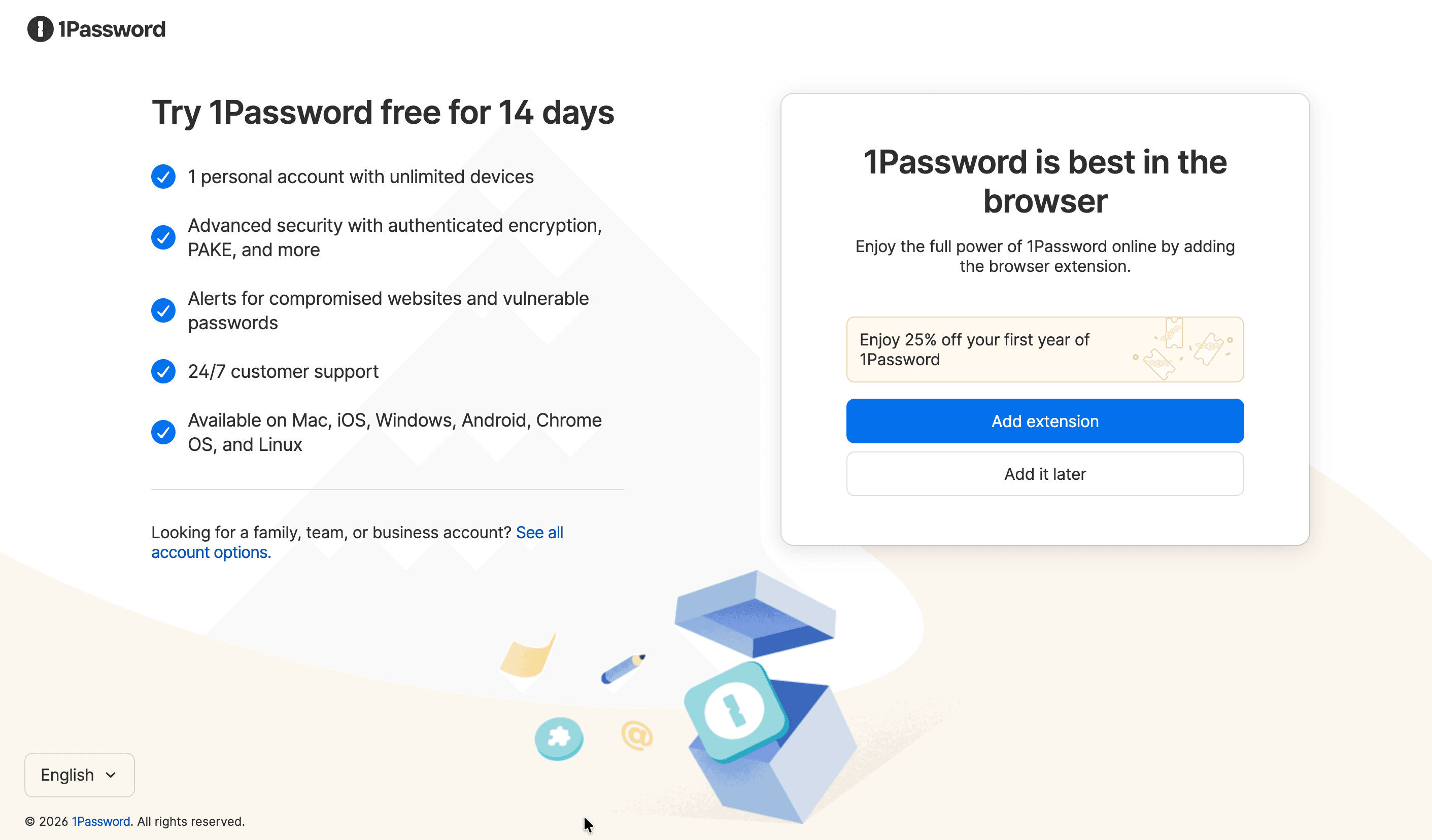
Getting started with 1Password is quick, and the trial lets you test it fully before paying. The steps below cover creating a personal account and getting the app running across your devices.
- Go to 1password.com and choose a plan, then select the 14-day free trial; no payment details are needed to begin.
- Enter your email address and confirm it through the verification message you receive.
- Create your account password. This is the one password you'll need to remember, so make it strong and memorable, since it can't be recovered if lost.
- Save your Secret Key and Emergency Kit. 1Password generates a Secret Key and a downloadable Emergency Kit containing your sign-in details; store it somewhere safe offline.
- Sign in to your account at your subdomain on 1password.com to access the web app.
- Download the desktop app for your operating system and the mobile app, then sign in on each device.
- Add the browser extension for Chrome, Firefox, Edge, Safari, or Brave to enable autofill and saving as you browse.
- Import existing passwords from your previous manager or browser using the built-in import tools, or start saving new logins as you sign in to sites.
Support and Contact Options
1Password's support is competent but leaner than some competitors, and it's the area reviewers most often flag. There is no live human chat; instead, help comes through an extensive Support Center, an AI-powered chatbot for instant answers to common questions, an email ticketing system, an active community forum, and support via X. Email support is positioned as the around-the-clock channel for direct help.
Experiences vary. Many users describe the team as responsive, helpful, and patient, with issues resolved to their satisfaction, and that praise shows up repeatedly in Trustpilot reviews. Others report slow email turnaround during busy periods, particularly around billing and account recovery, which is the most common complaint. The chatbot generally gives useful, specific answers rather than just linking to articles, which softens the absence of live chat for routine questions.
| Channel | Details |
|---|---|
| Email / ticketing | support@1password.com; positioned as the 24/7 direct support channel |
| AI chatbot | Instant answers to common questions, available on the site |
| Support Center | Extensive how-to articles and troubleshooting guides |
| Community forum | Peer and staff discussion at 1password.community |
| Social | Support and updates via X |
| Languages | Multiple, including English, German, French, Spanish, Italian, Japanese, and more |
1Password Pros and Cons
Pros
- +Top-tier security with AES-256 encryption.
- +Extra Secret Key adds a strong second layer of protection.
- +Works seamlessly across all devices, OSes, and browsers.
- +Useful extras like Travel Mode, Watchtower, and built-in 2FA.
- +Strong passkey support for going nearly passwordless.
- +Flexible plans for individuals, families, and businesses.
Cons
- –More expensive than many competitors.
- –No permanent free plan, only a 14-day trial.
- –Lost Secret Key can lock you out for good.
Frequently Asked Questions
Is 1Password safe to use?
Yes. It uses AES-256 end-to-end encryption with data decrypted only on your devices, protects accounts with both a password and a separate Secret Key, and holds SOC 2 Type 2 and multiple ISO certifications. It has no known breach of user vault data and undergoes regular third-party audits.
Does the password manager have a free plan?
There is no permanently free tier, but every plan comes with a 14-day free trial that requires no payment details to start. If you only need to generate passwords, the company also offers a free online generator.
How much does it cost?
Annual pricing starts at $2.99/month for Individual and $4.49–$5.99/month for Families (up to five members). The Teams Starter Pack is a flat $19.95/month for up to ten users, Business is $7.99 per user per month, and Enterprise is custom-quoted.
What is the Secret Key?
The Secret Key is a 128-bit value created locally on your device when you sign up. Combined with your account password, it encrypts your data and makes brute-forcing an account practically impossible, even if your password is weak.
Which devices and browsers does it work on?
There are apps for macOS, Windows, Linux, iOS, Android, and Apple Watch, plus a web app and browser extensions for Chrome, Firefox, Edge, Safari, and Brave. Data syncs automatically across all of them.
Can I share passwords with people who don't use 1Password?
Yes. You can create expiring links to share individual items with anyone, even if they don't have an account, and use shared vaults for ongoing access among family members or teammates.
What is Travel Mode?
Travel Mode removes any vaults you haven't marked as safe for travel from your device until you turn it off. This means a device inspection at a border won't reveal sensitive data, even if your account is unlocked.
Does it support single sign-on for businesses?
Yes, on the Business plan. Unlock with SSO works with Okta, Microsoft Entra ID, Google Workspace, JumpCloud, OneLogin, Auth0, Duo, and Ping Identity, and the SCIM Bridge automates user provisioning. SSO is not included in the Teams Starter Pack.